AI Marketing and AEO: How to Make Your Business Easier to Find

AI marketing and AEO can help businesses approach content creation and search visibility together. AI supports tasks such as preparing drafts and organising customer questions, while Answer Engine Optimization focuses on making website information clear and useful for answer-based search experiences.

For a business, this creates two connected tasks: producing useful marketing content and making reliable information available when customers search for answers.

AI marketing and AEO address different parts of that process. AI marketing helps teams research, prepare and review marketing work. Answer Engine Optimization, or AEO, focuses on making content useful in search experiences that provide direct answers.

Neither removes the need for a clear website, accurate information or a worthwhile service. Here is how businesses can bring them together.

What Is AI Marketing?

AI marketing means using artificial intelligence to support marketing activities, such as organising customer questions, drafting content, developing creative ideas and reviewing campaign information.

For a small business, practical uses include:

  • Turning approved service details into a first draft.
  • Preparing alternative advertising headlines.
  • Grouping common customer questions into article topics.
  • Creating a brief for promotional designs.
  • Summarising anonymised enquiry feedback for review.

The quality of the result depends on the information you provide and how carefully you check it.

For example, a website developer can supply its actual package details and ask AI to prepare a comparison table. Someone must still confirm the prices, exclusions and delivery conditions before publishing.

If you are exploring creative tools, read our guide to Adobe’s integrations with ChatGPT and Claude.

What Is Answer Engine Optimization?

Answer Engine Optimization describes the work of making information clear, accessible and useful for systems that answer questions directly.

These experiences include Google’s AI search features and assistants that search the web and cite sources.

A customer might ask:

  • What does monthly SEO include?
  • How much should I budget for a business website?
  • Is Google Ads spend included in an agency’s management fee?
  • What information should I prepare before hiring a developer?

A useful page answers the question clearly, explains the conditions and gives readers enough detail to make a decision.

AEO is not a guaranteed route into an AI answer. Google states that its AI search features do not require special optimisation beyond the relevant search requirements and SEO fundamentals. See Google’s guidance on AI features and websites.

AI Marketing and AEO: What Is the Difference?
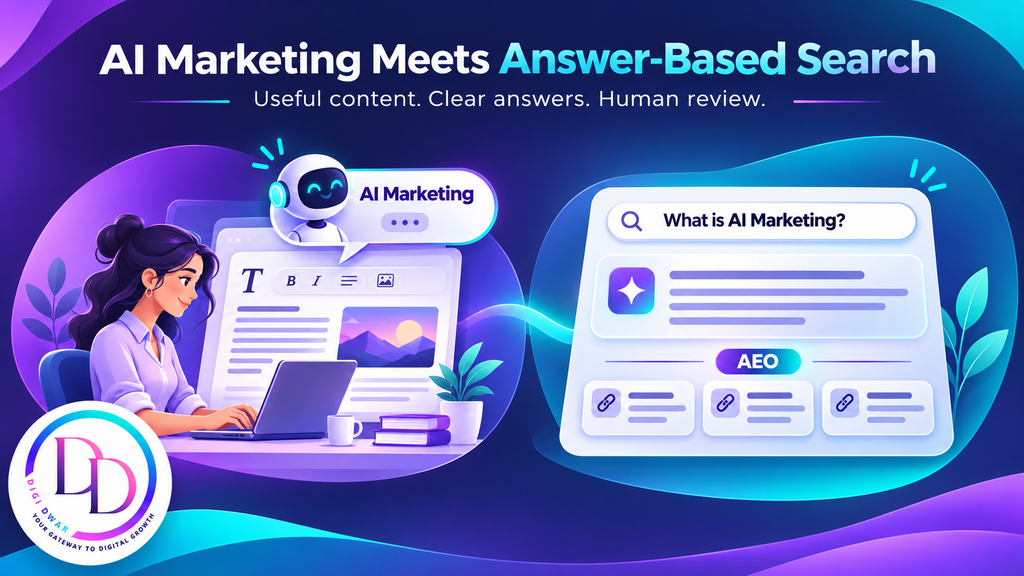
Marketer using an AI content assistant beside a search answer panel with source links.
AreaAI marketingAEO
Main purposeSupport marketing preparation and analysisMake information useful for answer-based discovery
Typical workContent drafts, creative briefs and campaign ideasClear explanations, accessible pages and reliable evidence
ExampleDrafting an article about website packagesExplaining package inclusions so readers can compare them
Human responsibilityCheck accuracy, relevance and permissionsKeep answers accurate, supported and current

The connection is straightforward: AI can help prepare a draft, while an AEO approach encourages you to examine whether that draft actually answers the customer’s question.

Publishing an AI-generated article does not automatically make it suitable for AI search.

AEO vs SEO: Do Businesses Need Both?

SEO covers the work that helps search engines discover, understand and present your website. It includes technical access, useful content, internal links and a good page experience.

AEO places particular attention on how that information answers questions.

Much of the practical work overlaps. A clear service page can help someone arriving through a conventional search result and someone following a source cited in an AI answer.

Businesses should therefore build on their existing SEO work rather than abandon it for a separate collection of “AI ranking tricks.”

Google’s guide to generative AI search also explains that special AI text files and special schema markup are not required for inclusion in its generative search experiences.

How AI Marketing and AEO Can Work Together
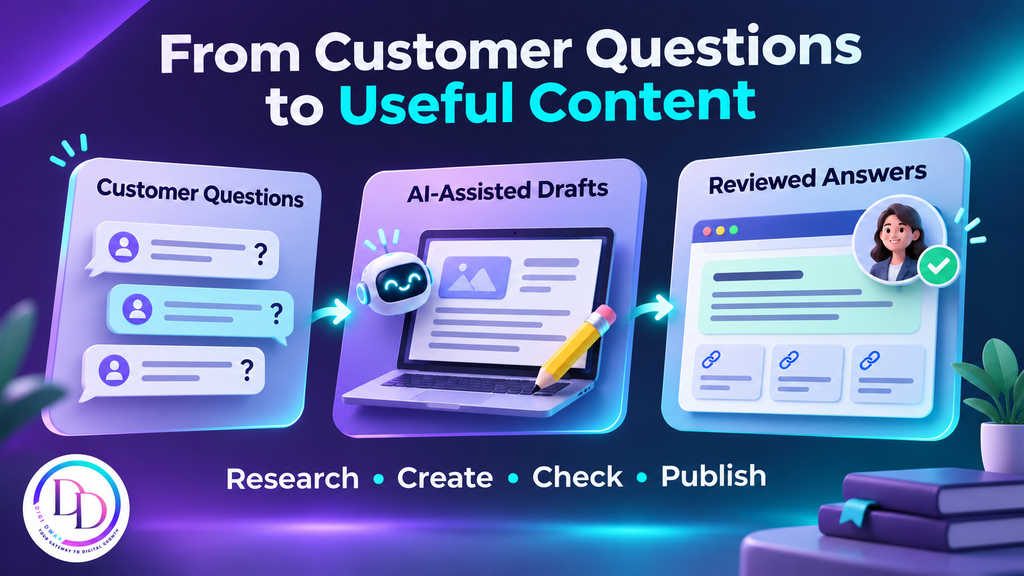
Customer questions turned into AI-assisted drafts and human-reviewed answers.

1. Start with Actual Customer Questions

Collect questions from sales conversations, contact forms and service discussions.

A digital marketing agency might regularly hear:

  • Do I need SEO or Google Ads first?
  • Can I start with a small website?
  • Who owns the website after delivery?
  • Are advertising charges separate from management fees?
  • How will I know whether enquiries are relevant?

Use AI to organise these questions into themes. Then choose a topic your business can answer with direct knowledge.

Avoid publishing several articles that repeat the same answer with slightly different keywords.

2. Answer the Main Question Early

When someone opens an article about Google Ads management fees, they should quickly understand what the fee covers and whether advertising spend is separate.

For example:

Does a Google Ads management fee include ad spend?

Usually, these are separate charges. The management fee pays for the agreed campaign work, while ad spend pays for advertising delivery through Google. Customers should check their provider’s proposal for the exact arrangement.

The explanation can then cover setup charges, tracking, reporting and landing-page work.

This structure helps the reader find an answer before exploring the details. It does not guarantee that a search engine will quote the passage.

3. Add Information from Your Own Work

General explanations are easy to find. Your own experience can make an article more useful.

Explain how you scope a project, what clients need to supply and which factors change the work involved.

For website development, that might include:

  • Whether the client has approved content and photographs.
  • Whether existing pages need to be moved.
  • Which forms or integrations are required.
  • Who handles domain and hosting access.
  • What testing and handover include.

Where you share project results, provide context and distinguish recorded figures from business outcomes.

You can explore examples of DigiDwar’s work in our client portfolio.

4. Connect Articles to Relevant Service Pages
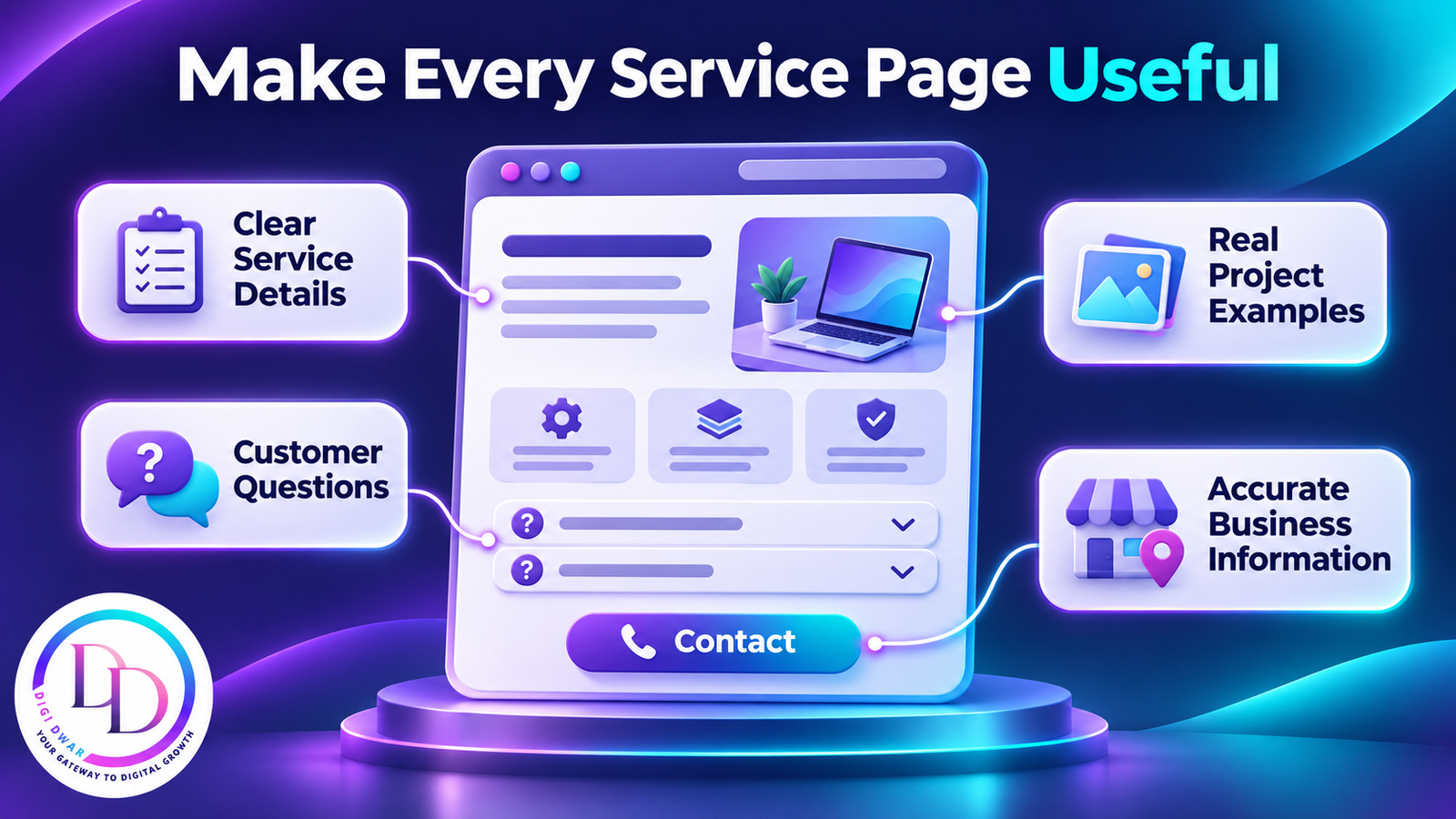
Service webpage highlighting clear details, real projects, customer questions and accurate business information.

An article should help a reader take the next appropriate step.

A guide about preparing a website brief can link to your website development service. An explanation of ongoing search work can link to your SEO service.

Use descriptive link text so the destination is clear. Place the link where it helps the reader, rather than adding a list of unrelated services to every section.

For example, a business planning a new site can compare the scope of DigiDwar’s website development services.

5. Keep Business Information Consistent

Review your business name, contact details, service areas and package information across your website and public profiles.

If a package changes, update the relevant pages and any articles that describe it. Explain whether a price is a starting price and what could change the quotation.

Consistency helps customers understand your offer. It also reduces the chance of your own pages giving conflicting answers.

How to Approach Visibility in ChatGPT Search with AI Marketing and AEO

If you want your content considered for ChatGPT search, technical access matters.

OpenAI identifies OAI-SearchBot as the crawler used for surfacing websites in ChatGPT search features. Its publisher guidance explains that sites should allow the relevant access for inclusion in summaries and snippets. Allowing access does not guarantee placement. See the OpenAI publisher FAQ.

Have your developer review crawler and hosting settings where needed. Keep those decisions separate from decisions about allowing content to be used for model training.

Beyond access, concentrate on publishing information that is accurate, understandable and useful enough for someone to consult directly.

Use AI Marketing and AEO Tools with a Clear Review Process

Choose a tool around the task you need to complete.

TaskWhat AI can help prepareWhat you should check
Article planningQuestions and an outlineWhether the topic adds useful information
Service copyA readable first draftScope, prices, claims and exclusions
Creative workDesign ideas and variationsBrand accuracy and asset permissions
Campaign reviewA summary of supplied dataCalculations, context and conclusions
Customer communicationReply templatesSuitability for the actual enquiry

Do not upload private customer information simply to make a prompt more detailed. An anonymised example is often enough.

Never allow a draft to introduce invented testimonials, certifications or campaign results.

What Should You Measure?

Measure whether your work is reaching relevant people and helping them take useful actions.

Start with:

  • Search impressions and clicks.
  • Queries and pages receiving visibility.
  • Visits referred from AI assistants, where identifiable.
  • Visits from articles to relevant service pages.
  • Recorded enquiries and their relevance.
  • Follow-up outcomes.

Keep these measurements separate. A search impression is not a visit, and a visit is not a confirmed customer.

If you manually check whether an assistant mentions your business, record the question and date. One response is an observation, not a stable ranking report.

How to Start with AI Marketing and AEO

Begin with one service and one customer question.

Review your existing page, identify what is missing and use AI to help prepare an improvement. Add your own knowledge, verify the details and connect the article to the relevant service.

After publishing, monitor the page’s search data and enquiry feedback. Use those findings to decide the next improvement.

AI marketing and AEO work best as part of an ongoing process of explaining your business clearly—not as a reason to publish large amounts of similar content.

Frequently Asked Questions

Can AI-written content appear in search results?

Using AI does not establish the quality of a page. Review the content for accuracy, originality and usefulness before publishing, and follow the relevant platform’s guidance.

Can AEO replace SEO?

No. Technical accessibility, clear site structure and useful content remain important. AEO describes an emphasis on answers within that broader work.

How do I get cited in AI Overviews?

There is no guaranteed submission or wording formula. Follow Google’s guidance, maintain accessible pages and provide reliable information that answers the topic well.

Does adding an FAQ guarantee AI visibility?

No. Add FAQs when they answer genuine questions. A question-and-answer format alone does not guarantee citations or rankings.

Should a small business use AI marketing and AEO?

They can provide a useful way to organise marketing work and improve customer explanations. Start with a specific task and assess whether the result helps your audience.

Make Your Website More Useful to Potential Customers

DigiDwar supports businesses in Greater Noida and across Delhi NCR with website development, SEO services, Google Ads and Meta Ads management.

If your website needs clearer service information or a practical content plan, contact DigiDwar or call +91 87896 19750 for a free initial consultation.
Meta Ads Manager: Step-by-Step Guide for Beginners

Meta Ads Manager is the tool you use to create, manage and track Facebook and Instagram ads. If you searched for “ad manager meta” or “meta ads” and want to run your first meta ad without wasting money, this guide is for you.

It explains how Meta Ads Manager is organised, how to choose an objective, how to create your first campaign, and when it is worth asking an agency for help.

What Is Meta Ads Manager?

Meta Ads Manager (also called Facebook Ads Manager) is Meta’s free tool for building and managing adverts across Facebook and Instagram. Creating campaigns costs nothing. You pay only for the advertising spend you set.

Note that “Ad Manager” is also the name of a different Google product. This guide covers Meta’s tool.

People also search for it as “facebook meta ads”, “meta ad” or “meta adverts”. They all mean the same thing: ads that run on Meta’s platforms.

How Ads Manager Is Organised

Every campaign in Meta Ads Manager has three levels:

LevelWhat you set there
CampaignThe objective, which tells Meta what result to aim for
Ad setBudget, schedule, audience, locations and placements
AdThe creative (image or video), text, headline and call to action

One campaign can hold several ad sets, and each ad set can hold several ads. For most small businesses, a simple structure with fewer ad sets works better than a separate ad set for every interest or age group.

Meta Ads Manager Campaign Objectives

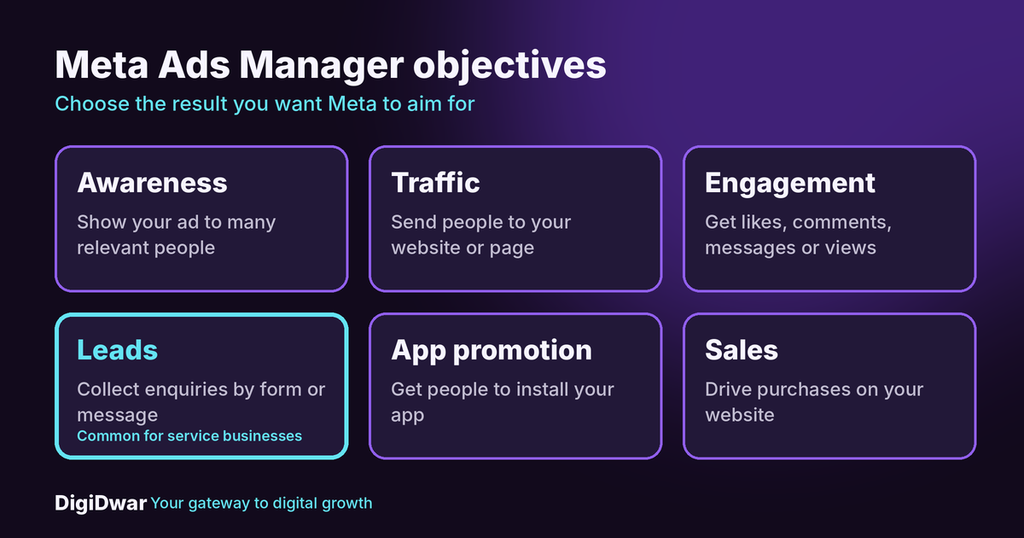
Meta Ads Manager campaign objectives: awareness, traffic, engagement, leads, app promotion and sales

The objective is the first choice you make. It tells Meta which result to prioritise. The main objectives are:

  • Awareness: show your ad to as many relevant people as possible.
  • Traffic: send people to your website or a page.
  • Engagement: get likes, comments, messages or video views.
  • Leads: collect enquiries through a form or messages.
  • App promotion: get people to install an app.
  • Sales: drive purchases or other valuable actions on your website.

A local service business that wants enquiries usually looks first at Leads. Choose the objective that matches the result you actually want, not the cheapest-looking one.

How to Create Your First Ad in Meta Ads Manager

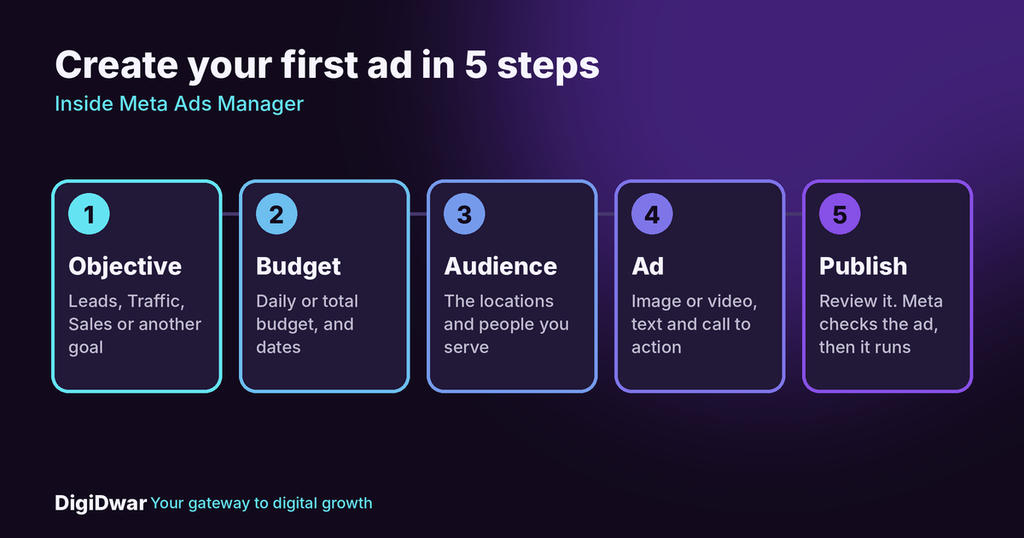
Five steps to create your first ad in Meta Ads Manager

Button names can change over time, but the steps stay the same.

  1. Open Meta Ads Manager and check that your ad account is connected to your Facebook Page.
  2. Click Create and choose a campaign objective.
  3. Name the campaign and choose how to set the budget: one budget for the whole campaign, or a budget for each ad set.
  4. Build the ad set: choose your daily or total budget, the dates, the locations you serve, and the audience.
  5. Choose placements. Let Meta use the suggested Facebook and Instagram placements, or pick them yourself.
  6. Create the ad: upload an image or video, write the primary text and headline, and choose a call to action such as “Send message” or “Learn more”.
  7. Choose where people go: an instant form, a message chat or your website page.
  8. Review everything and publish. Your ad goes through a review before it starts to run.

Start with a small budget and one clear offer. Add more campaigns after you see how the first one performs.

Mistakes to Avoid in Ads Manager

  • Too many ad sets. Splitting a small budget across many audiences leaves each one with too little data to judge.
  • The wrong objective. If you choose Traffic when you want enquiries, Meta works toward clicks, not leads.
  • No plan for follow-up. A lead that waits two days for a reply is often lost.
  • Judging only by clicks. Cheap clicks do not equal suitable customers.
  • Changing everything at once. Change one thing at a time so you can see what made the difference.

Numbers to Check in Meta Ads

Open the reporting view and look at:

  • Amount spent: what the campaign has cost so far.
  • Reach and impressions: how many people saw the ad.
  • Clicks: how many people interacted with it.
  • Results: the number of leads or messages.
  • Cost per result: the average cost of each lead.

These show trends, but they do not show the full business result. Ask your team: were the enquiries relevant, were they in your area, and did you answer them? An inexpensive lead is not automatically a good customer.

For Meta’s own tutorials and policies, see the Meta Business Help Centre.

When to Use Meta Ads Yourself and When to Hire Help

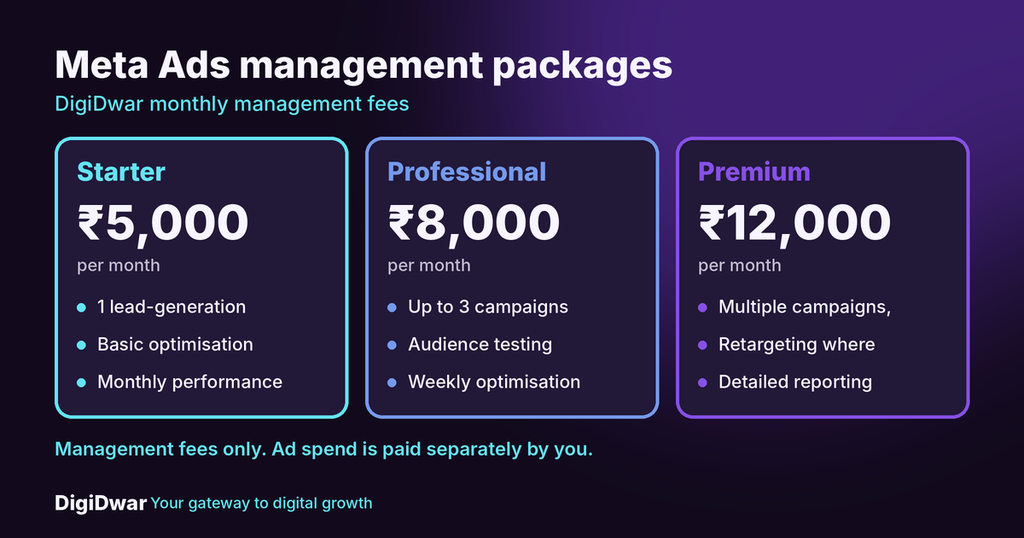
DigiDwar Meta Ads management packages: Starter, Professional and Premium

Doing it yourself works for a small test with a simple offer. Help is worth considering when you run several campaigns, need audience and creative testing, or do not have time to review the results each week.

DigiDwar manages Facebook and Instagram advertising for businesses in Noida, Greater Noida and across Delhi NCR:

PackageFee per monthIncludes
Starter₹5,0001 lead-generation campaign, basic optimisation, monthly report
Professional₹8,000Up to 3 campaigns, audience testing, weekly optimisation
Premium₹12,000Multiple campaigns within an agreed scope, retargeting where suitable, creative testing, detailed reporting

These are management fees only. Advertising spend is paid separately by you. Setup, new creatives and tracking installation are quoted separately, and we do not guarantee leads or sales. See our Meta Ads management service for details, and our guide to Google Ads management fees versus ad spend to understand how fees and spend differ.

Meta Ads FAQs

Is Meta Ads Manager free to use?

Yes. Using the tool is free. You pay for the advertising spend you choose.

Is Meta Ads Manager the same as Facebook Ads Manager?

Yes. People use both names for the same tool, and it also manages Instagram ads.

Do I need a Facebook Page to run meta ads?

You normally need a Facebook Page connected to your ad account.

How much should I spend on my first campaign?

There is no single amount. Start with a budget you can afford to test, and increase it only after you see useful results.

Can an agency use my Meta Ads Manager account?

Yes, with the right access. You keep ownership of your account, and the agency works inside it.

Get Help with Your Meta Ads Manager Campaigns

Start with your offer, your location and your monthly budget. Then decide how much you can manage yourself.

If you want a second opinion or full management, request a free initial consultation or call +91 87896 19750. If you also need a clear enquiry page for your ads, see our website development service.

How Small Businesses and College Students Can Use AI for Marketing and Creative Work

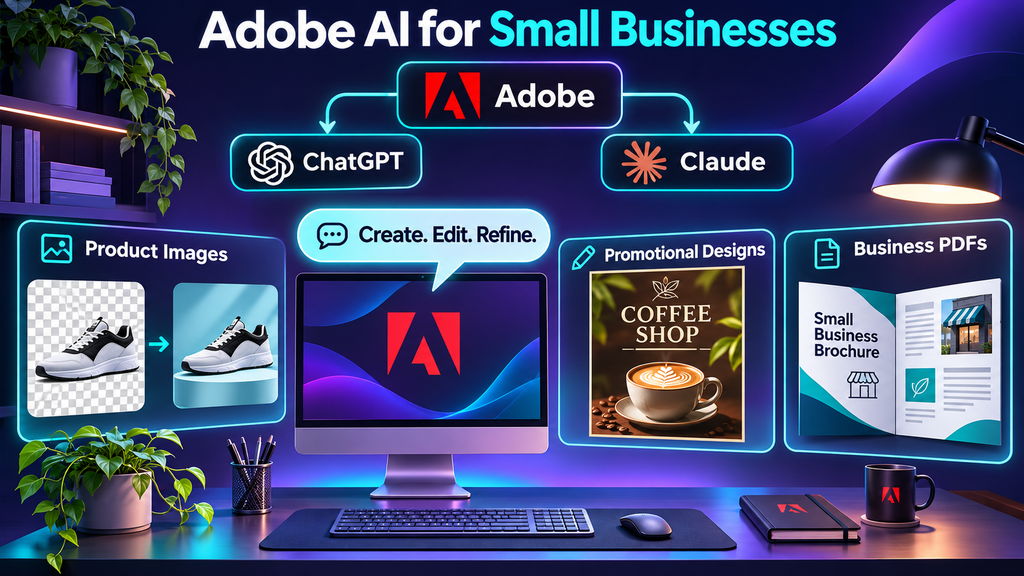
Adobe AI Collaboration with ChatGPT and Claude gives small business owners and college students another way to work on designs, images and documents. Through Adobe’s separate integrations with these assistants, users can describe a task in chat and use supported tools to develop the result.

AI can help with that first draft. It can organise rough notes, suggest a layout, explain a difficult topic or offer different ways to express an idea.

The useful part begins when you bring your own information and judgement to the process. A business owner knows the service they deliver. A student needs to understand the subject they are presenting. That knowledge is what makes the finished work worth reading.

Our earlier article explored Adobe’s Collaboration with ChatGPT and Claude. This guide looks at how small businesses and college students can apply AI to everyday marketing, learning and creative tasks.

How Adobe Works with ChatGPT and Claude

Adobe has separate integrations with ChatGPT and Claude, allowing users to access supported creative and document tools through chat.

Adobe in ChatGPT: Small businesses and students can use supported Photoshop, Adobe Express and Acrobat features for image editing, designs and PDF tasks. Read Adobe’s official ChatGPT announcement.

Adobe in Claude: Users can access supported Adobe tools for creative and document work within Claude. See the official Adobe for Claude guide for capabilities and setup details.

Start with a Task You Can Clearly Explain

A broad instruction such as “make my marketing better” leaves too much unanswered. The same applies to “create my college project.”

Before opening a tool, write down what you need, who it is for and what the finished work should achieve.

For a business, that might be:

Prepare a social media post explaining our website development package to local shop owners. The goal is to encourage quotation requests.

For a student, it might be:

Help me organise a five-minute presentation about consumer buying behaviour. My audience is an undergraduate marketing class.

These instructions give the work a direction. You can then add the required facts, format and limitations.

How Adobe AI Collaboration Helps Small Businesses

For a small business, Adobe AI integration can support promotional designs, product image edits and PDF preparation. The available features depend on the assistant and connected Adobe tools. Business owners still need to check prices, contact details and the finished design before sharing it. Adobe AI Collaboration can help business owners prepare promotional visuals and documents, while keeping final review and approval in their hands.

Plan Content Around Real Customer Questions

Your customers already provide useful content ideas.

They ask about prices, delivery times, service areas, maintenance and what is included. Collect those questions and ask AI to organise them into a practical content plan.

A website development business, for example, could explain:

  • What a basic business website includes.
  • Which materials the client needs to provide.
  • Whether domain and hosting costs are included.
  • What happens after the website goes live.

Each topic answers a buying question. That gives the content a purpose beyond keeping the social media account active.

Prepare Social Posts and Promotional Materials

AI can help turn approved service information into captions, poster copy and design briefs.

Give it your exact offer, audience, contact details and preferred tone. Ask it to leave out claims you cannot support.

For example:

Write a short Instagram caption for a bookstore introducing its exam preparation collection. Mention the supplied book categories and invite customers to check availability. Do not invent discounts or claim that every title is in stock.

Review the result against your actual stock or service details before publishing.

For visuals, use your own product photographs, approved brand assets or appropriately licensed material wherever possible. An attractive image should still represent what the customer can expect.

Improve Website Explanations

A business owner may understand a service well but struggle to explain it clearly on a page.

Start with your own notes: what you provide, how the process works, what it costs and which conditions apply. AI can help organise those notes into readable sections.

For example, a security services company could explain how a business requests a quotation and which details are needed to assess its staffing requirements.

Check the draft carefully. Remove invented qualifications, unsupported claims and services you do not offer.

If you need help building the page itself, explore DigiDwar’s website development services.

Develop Advertising Ideas

AI can help prepare alternative headlines and creative concepts for an advertising campaign.

One version might explain the service. Another could answer a common concern. A third might focus on the information a customer needs before requesting a quotation.

These drafts are starting points for review. Advertising also needs an appropriate audience, location settings, budget, relevant landing page and a way to record enquiries.

A poster alone cannot tell you whether a campaign brought useful business opportunities.

How Adobe AI Collaboration Helps College Students

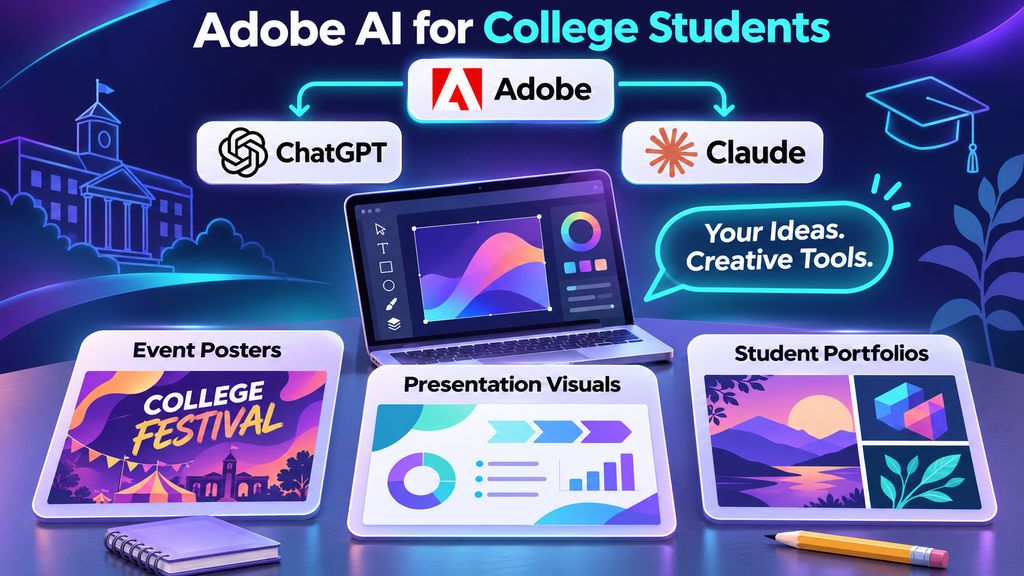
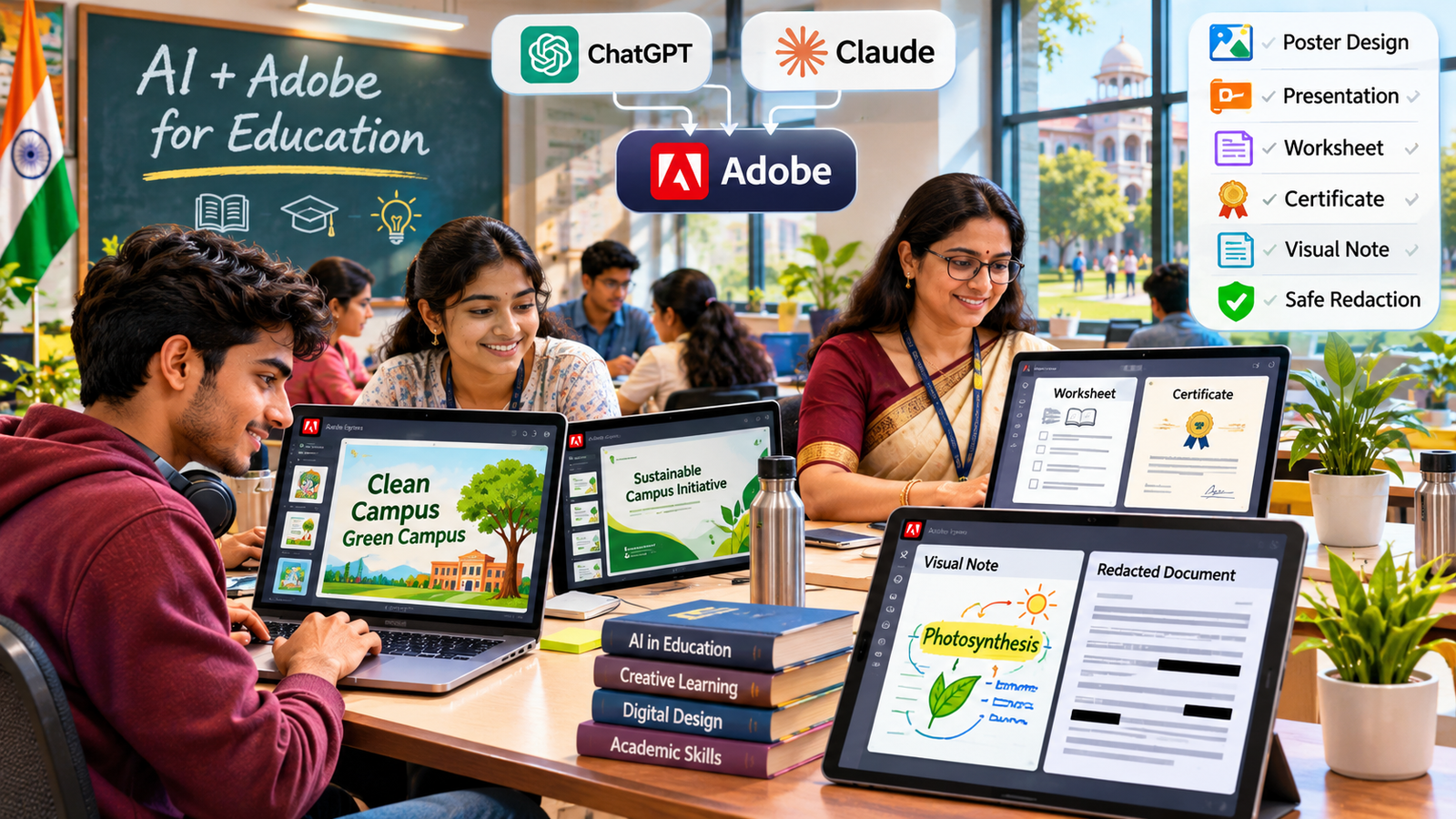
For students, AI can support preparation, practice and creative work. Its value depends on whether it helps you understand and develop the work yourself. College students can use Adobe AI integration to support event posters, presentation visuals and portfolio materials. Start with your own research and approved assets, review the output and follow your college’s rules on AI assistance. Students can use Adobe AI Collaboration to develop event posters and portfolio visuals, checking that the finished work reflects their own ideas.

Understand Difficult Topics

When a concept feels confusing, ask for an explanation suited to your current level.

A marketing student could ask:

Explain market segmentation using an example from a local bookstore. Then ask me three questions to check my understanding.

You can also request a comparison, a worked example or an explanation of why your answer is incorrect.

Check important information against your textbooks, lecture notes and reliable sources. AI can produce confident explanations that contain mistakes.

Organise Presentations

Start with your assignment brief and your own research notes. Ask AI to suggest a structure that fits the presentation time.

For a five-minute presentation, you might need an introduction, two or three main points, an example and a closing observation.

Then develop the slides yourself. Include the evidence behind your points, acknowledge sources and practise explaining the subject without reading every sentence from the screen.

Keep a clear distinction between a hypothetical example and a real research finding. Never present invented survey responses or statistics as collected data.

Create College Event Materials

College societies and student groups regularly need posters, invitations, registration information and social posts.

AI can help draft these materials when you supply:

  • The approved event name.
  • Date, time and venue.
  • Eligibility and registration details.
  • Organiser contact information.
  • Permission requirements for logos and photographs.

Check the details with the organising team before sharing. A polished poster with the wrong venue can cause more work than it saves.

Build an Honest Portfolio

Students interested in marketing, design or website development can create practice projects to demonstrate their skills.

You could develop a sample bookstore campaign, design a college club website or prepare a content plan for a fictional business.

Label these clearly as concept projects or student projects. Explain the audience, your decisions and what you created. If AI supported the process, describe how you reviewed and improved its output.

Do not present a practice campaign as paid client work or attach invented performance results.

Prepare Internship Applications

AI can help organise a CV, improve a project description or generate interview practice questions.

Supply only your actual experience and skills. Read every line before using it.

If your CV says you managed an advertising campaign, you should be able to explain what you did. If you only completed a classroom exercise, describe it accurately as coursework or a practice project.

A clear account of genuine work is more useful than an impressive description you cannot support in an interview.

A Simple Brief Both Audiences Can Use Adobe AI Collaboration

Whether you are preparing a business campaign or a college presentation, these details help guide the draft:

DetailWhat to provide
PurposeWhat the work should achieve
AudienceWho will read, watch or use it
Source materialYour notes, approved facts and assets
FormatPresentation, poster, article or webpage
ToneFormal, conversational or educational
LimitsWord count, dimensions or presentation time
Accuracy rulesWhat must be checked or must not be invented

Ask for one draft, review it and request specific changes. “Shorten the introduction and explain the example more clearly” gives better direction than “make it better.”

Check Accuracy, Privacy and Permissions

Business owners and students share some responsibilities when using AI.

Check names, dates, prices, calculations and factual claims. Open the original sources behind important information rather than trusting a generated reference.

Avoid uploading customer records, private student information or confidential documents without appropriate permission. Often, a generalised example will provide enough context.

Use images, logos and other materials only when you have the necessary rights or permission.

Students should also follow their institution’s rules for each assignment. Where disclosure is required, explain how AI was used. Keep your notes and drafts so you can show how the work developed.

Judge the Finished Work by Its Purpose

A business should ask whether the content explains the service accurately and gives customers a clear next step. Enquiry records can then help show whether the campaign reached relevant people.

A student should ask whether they understand the subject, can explain their decisions and have met the assignment requirements.

Producing more material is easy. Selecting, checking and improving the useful material takes care.

Start with one manageable task. Complete it, review the result and decide where AI helped—and where your own input made the biggest difference.

Frequently Asked Questions

Can beginners use AI for marketing and creative work?

Yes. Begin with a specific task and provide clear information. Review the draft before using it, and learn the basics of the subject so you can recognise mistakes.

Can students submit AI-generated assignments?

That depends on the institution and assignment rules. Check what assistance is allowed and whether it must be disclosed. Students remain responsible for the accuracy and originality of submitted work.

Can AI help a small business get more enquiries?

It can support content preparation and campaign ideas. Enquiries also depend on the offer, audience, website, advertising decisions and follow-up. AI-generated content does not guarantee results.

Can AI help students prepare for digital marketing careers?

It can support practice with briefs, content planning, research organisation and creative ideas. Students also need practical knowledge, honest project experience and the ability to explain their work.

Put Your Ideas into Practice

Choose one task you already need to complete: a service explanation, a college presentation, an event poster or a portfolio project. Bring your own facts, use AI to help develop the draft and take responsibility for the finished work. Start with one practical task, such as an event poster, a product image edit or a PDF document. Explore the Adobe AI integration available in your chosen assistant, provide clear instructions and review the result before using it.

For businesses that need support with a website, SEO, Google Ads or Meta Ads, DigiDwar serves Greater Noida and businesses across Delhi NCR.

Want to understand how AI-assisted content connects with search visibility? Read our guide to AI marketing and AEO for practical steps on creating useful content and answering customer questions.

Contact DigiDwar or call +91 87896 19750 for a free initial consultation.
Adobe, ChatGPT and Claude: What the New Collaboration Means for Your Marketing

The Adobe ChatGPT and Claude collaboration is changing how businesses make marketing content. Posters, social posts, ad images and PDFs can now be created and edited inside a chat, using Adobe’s tools. Drafts arrive faster, but faster drafts alone do not bring enquiries.

This guide explains what the Adobe ChatGPT and Claude collaboration includes, what it means for your ads and social media, and where an agency like DigiDwar still makes the difference.

What Is the Adobe ChatGPT and Claude Collaboration?

It is not one joint product. Adobe built two separate integrations, one for each assistant.

Adobe in ChatGPT Adobe in Claude
Launched December 10, 2025 April 28, 2026
Adobe tools Photoshop, Adobe Express, Acrobat 50+ tools across Photoshop, Illustrator, Firefly, Express, Premiere Pro, Lightroom, InDesign and Adobe Stock
How you use it Type the app name, then your instruction Add the “Adobe for creativity” connector, then describe the result
Access Free to ChatGPT users, according to Adobe Claude account required; Adobe account optional

In simple words: you describe the result you want, and the assistant runs the Adobe tools for you. Results can be moved into Adobe’s own apps for finishing.

What Can You Create with the Adobe ChatGPT and Claude Collaboration?

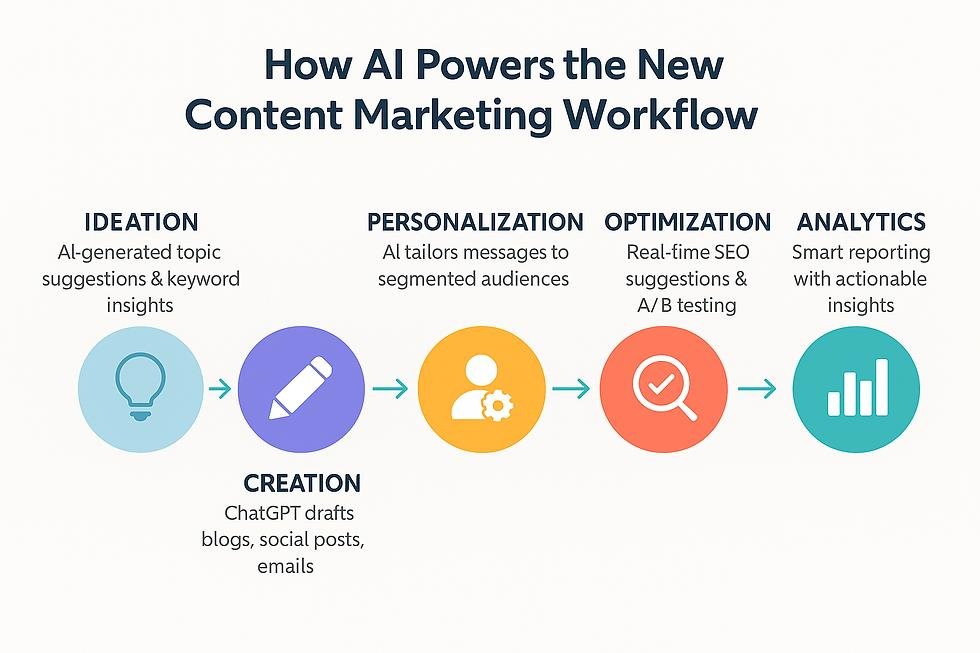
Five-step AI-powered digital marketing content workflow using Adobe Express for social media design

From campaign brief to published post: simplify your digital marketing workflow with AI and Adobe Express.

  • Social posts and offer posters: Start from Adobe Express templates, then change the text, swap images or add simple animation.
  • Photo edits: Use Photoshop tools to fine-tune an image, apply effects or clean up a product photo.
  • PDF documents: Merge, compress and edit PDFs, extract tables and redact sensitive details with Acrobat.
  • Video and vector work (Claude): The connector also reaches Premiere Pro for video and Illustrator for vector graphics.

What the Adobe ChatGPT and Claude Collaboration Means for Your Marketing

For a business, the main change is speed at the first-draft stage.

  • Social media: You can draft posts and offer graphics in minutes. A steady posting plan and a consistent look still need planning.
  • Meta and Google Ads: You can produce several ad image versions to test. Results still depend on targeting, budget, tracking and optimisation.
  • Content and creative: First drafts are quick. Brand tone, accuracy and approval stay with people.
  • Website and SEO: Better visuals help a page look professional. Search traffic still comes from strategy, useful content and technical setup.
  • Documents: Quotes and brochures can be tidied and shared faster.

Example: A shop in Greater Noida wants a Diwali offer. The owner makes a poster in a chat within minutes. But who will see it? Which ad audience should get it? How will the team track the enquiries it brings? Those answers decide the result, not the poster.

Why Fast Creatives Are Not Enough

AI tools reduce production time. They do not decide your message, audience or budget.

  • Accuracy: AI can get text, prices and dates wrong. Check every detail.
  • Brand consistency: One poster is easy. A full campaign that looks like one brand needs a clear style.
  • Complex work stays in the apps: Detailed layouts and print files still need Adobe’s own tools.
  • Privacy and rights: Avoid uploading customer data and confirm usage rights before commercial use.
  • Design is one part of marketing: Enquiries come from the right audience, a clear offer and quick follow-up.

How DigiDwar Helps You Use the Adobe ChatGPT and Claude Collaboration

Use the AI tools for quick drafts. Use an agency for the parts that turn creatives into customers.

Your goal What the AI tools give you What DigiDwar adds
More enquiries from ads Ad image drafts Meta Ads and Google Ads setup, targeting, tracking and optimisation
A steady social media presence Individual posts Social media management and content planning
A professional, consistent brand First drafts Content and creative that follow your brand
Getting found on Google Not covered SEO for your website and service pages
Knowing what works Not covered Marketing analytics and reporting

If you want to use these tools without guessing what works, talk to DigiDwar. We offer a free initial consultation to discuss your goals, content and budget.

How to Try the Adobe ChatGPT and Claude Collaboration in 5 Steps

  1. ChatGPT: Open ChatGPT, start your message with “Adobe Express” or “Photoshop”, and upload your image or describe the design.
  2. Claude: On the Claude website or desktop app, open Settings, then Connectors, find “Adobe for creativity” and add it. Set it up on the web or desktop, not the mobile app.
  3. Give clear details: Mention the size, platform, colours, tone and the exact text, price and contact number.
  4. Review and refine: Ask for one change at a time, such as a shorter headline.
  5. Check before posting: Review every detail, then publish or send the file to your marketing team.

Adobe ChatGPT and Claude Collaboration: FAQs

Is this one partnership between Adobe, ChatGPT and Claude?

No. Adobe has separate integrations with ChatGPT and with Claude. Together they show a clear trend: creative software is moving into AI assistants.

Is Adobe in ChatGPT free?

Adobe launched Photoshop, Express and Acrobat in ChatGPT as free to ChatGPT users. Terms can change, so check Adobe’s announcement and Adobe’s current pages.

Do I need an Adobe account to use Adobe in Claude?

No. A Claude account is required. An Adobe account is optional, but connecting one unlocks additional tools, higher usage limits and saving across sessions. See Adobe’s connectors page for details.

Can these tools replace a marketing agency?

No. They speed up drafts. Strategy, ad management, tracking and brand judgement still depend on people.

Will AI-made posters bring more customers?

Not by themselves. Results depend on your offer, audience, targeting and how quickly you answer enquiries.

Final Thoughts

Indian students and teachers using AI and Adobe tools for educational posters presentations worksheets and certificates

AI-assisted creative tools help students and educators explore digital design, presentations and visual learning.

Adobe, ChatGPT and Claude are not one joint product, but they point the same way: describe the result, and let the tools do the routine steps. Businesses that learn to use the Adobe ChatGPT and Claude collaboration well will make content faster. Those that pair it with a clear marketing plan will turn it into enquiries. For a wider view, read our guide on how AI is changing marketing, business and learning.

Want to understand how AI-assisted content connects with search visibility? Read our guide to AI marketing and AEO for practical steps on creating useful content and answering customer questions.

Ready to turn faster creatives into real enquiries? DigiDwar in Greater Noida helps businesses with Meta Ads, Google Ads, SEO, content and social media. If you also need a website, see our website development service. Contact DigiDwar or call +91 87896 19750 for a free initial consultation.
How to Choose Digital Marketing Services for Your Delhi NCR Business

Knowing how to choose digital marketing services can feel difficult when your Delhi NCR business needs a better website, more relevant enquiries or a steadier social media presence. These are different problems, so each one needs a different starting point.

If you are deciding how to choose digital marketing services, start with the part of your customer journey that needs attention. Can people find your business? Do they understand your services? Can they contact you easily? Does someone follow up when they enquire?

This guide explains how to match SEO, web design, advertising and social media marketing to your business goals. It also shows what to ask before you hire an agency.

How to choose digital marketing services: start with a clear business goal

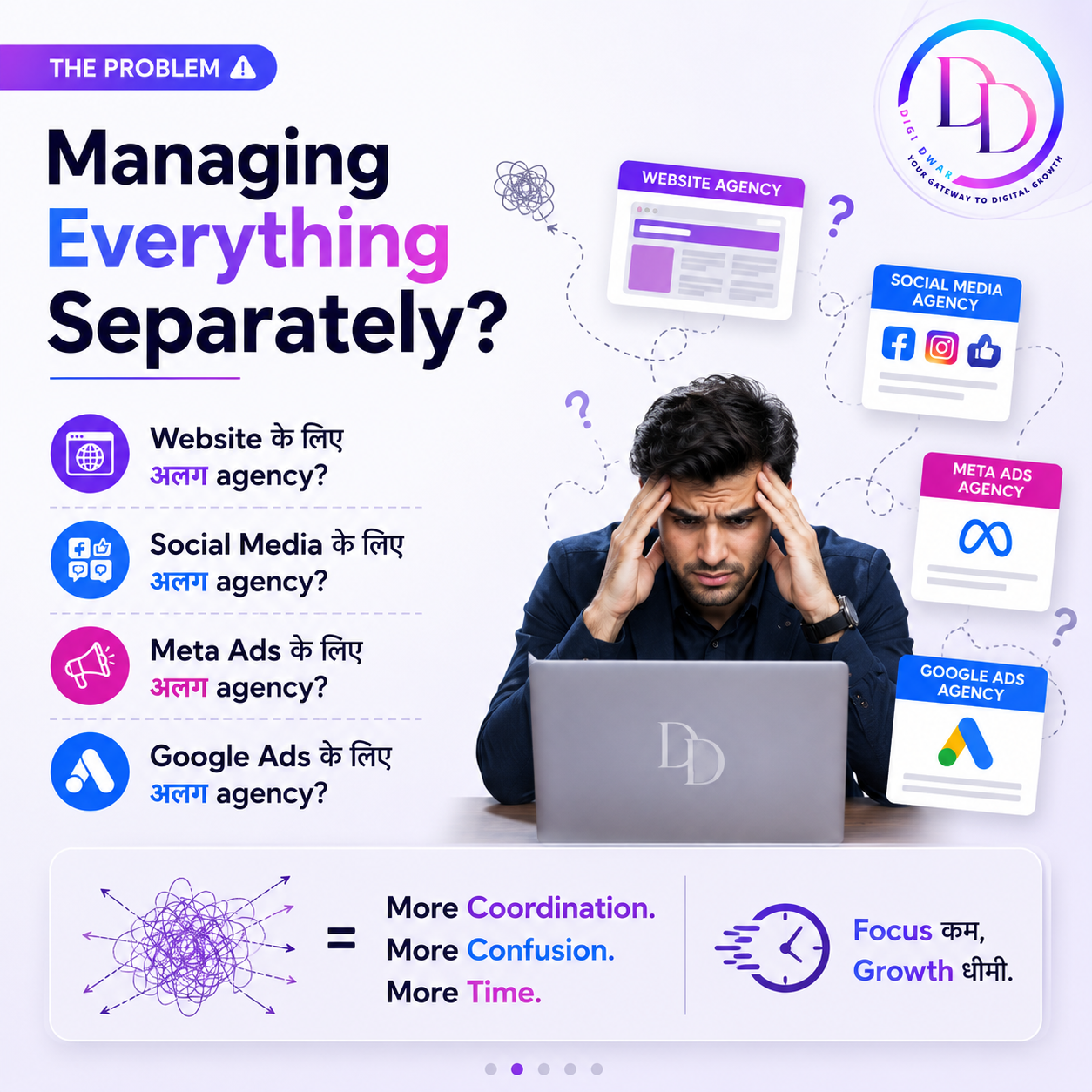
DigiDwar graphic showing a business owner managing website, SEO, social media and advertising separately.

Before you choose any package, write down what you want to improve.

For example, a staffing company might want enquiries from employers who need manpower support. An education consultant might want admission-related enquiries. An elder care organisation might want its social pages to explain its facilities clearly.

Define your service, target customer, location and desired action. “Generate enquiries for security guard services in Noida” gives a clearer direction than “increase online engagement.”

Also consider your capacity to respond. A campaign can bring enquiries, but your team still needs a process to answer questions, check suitability and follow up.

Check your website before increasing promotion

Open your website on a phone and complete the same steps a potential customer would take. Then check whether:

  • Your main services and service locations are easy to understand.
  • Phone, WhatsApp and enquiry options work.
  • Forms submit successfully and reach the right person.
  • Pages load without broken images or missing sections.
  • Business information and contact details are accurate.
  • Visitors can find relevant examples of your work.

If an enquiry form fails or the service information is unclear, fix that first. Otherwise, you send more visitors to a confusing page, which wastes the opportunity to explain your business. Our website launch checklist lists the essentials to review.

Explore DigiDwar’s website development and digital marketing services

How to choose digital marketing services: what each one does

Digital marketing is a group of services, not one service. Each one solves a different problem, so it helps to know what they do before you compare proposals.

Website development and web design

Website development is a practical starting point when you don’t have a business website, your current site is hard to use, or campaign visitors need a dedicated landing page.

Good website design gives visitors a clear path. It organises your services, shows your contact options and works well on mobile. For ecommerce websites, it also covers product pages, categories and the checkout process. If you also want portfolio websites or service pages that show your work, plan those pages from the start.

When you compare a website development company, agree on:

  • The pages and who writes the content
  • Mobile layout and enquiry forms
  • Hosting, domain and renewal costs
  • How you will update information after launch

Read our website development cost guide for Delhi NCR to compare packages and hidden costs. You can also explore our website development services.

A finished design should make your services understandable and give visitors a clear way to contact you.

SEO and search engine optimization

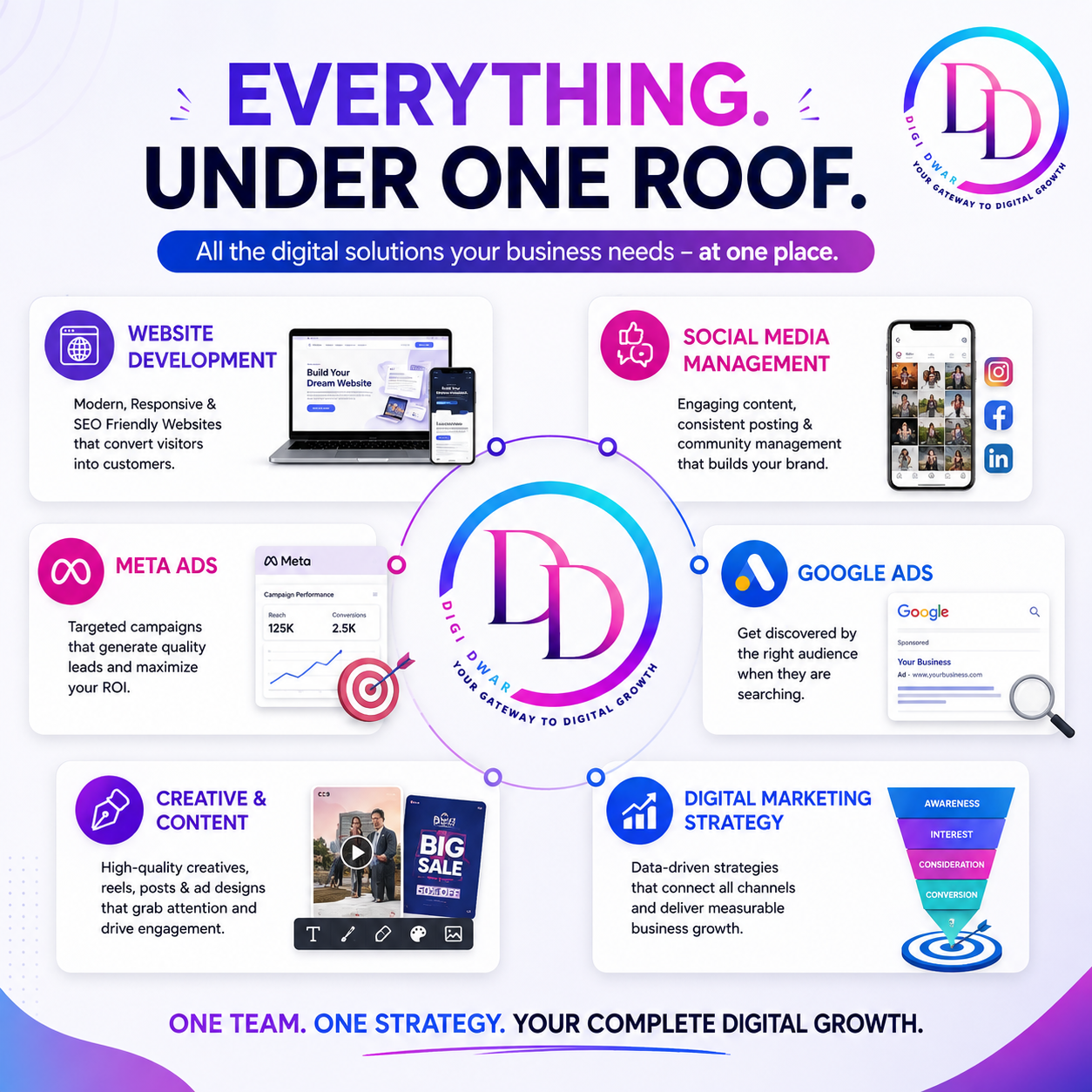
DigiDwar graphic presenting website development and digital marketing services under one roof.

SEO, short for search engine optimization, helps search engines understand your pages. It also helps readers find information that matches their searches.

SEO and digital marketing work together. A strong SEO plan usually covers:

  • An SEO audit: a review of technical issues, indexing, page speed and existing content.
  • Keywords for SEO: research into the search terms your customers actually use.
  • Website SEO optimization: better page titles, headings, useful content and internal links.
  • Local SEO: accurate business information and service-area pages, which matter most for local businesses.

For a Delhi NCR business, your service areas should reflect where you actually work. Each location you mention should help readers understand where you are available.

Google’s own SEO Starter Guide explains the basics, and Google makes clear that no method guarantees first position. Therefore, ask any SEO provider what work they will do, how they will measure progress and which issues come first.

If you are comparing SEO services in Delhi NCR, check what is included each month and what costs extra. You can also read our guide to what monthly SEO services include or explore our SEO services in Noida, Greater Noida and Delhi NCR.

Search engine marketing and Google Ads

Search engine marketing combines SEO with paid search. Google Ads is the paid part. Your ads appear when people search for something relevant, and you pay when someone clicks. This is also called a pay per click campaign.

Google Ads may suit a business with a clear offer, a defined service area and a landing page that explains the next step. Campaign planning should cover keywords, location targeting, budgets and enquiry tracking.

Review the search terms and the relevance of each enquiry alongside the advertising reports. After all, a completed form still needs checking for suitability.

Note that Google AdSense is a different product. It is for website owners who earn money by showing ads. Businesses that want to advertise on Google use Google Ads.

For more detail, read our guide to the Google Ads agency in Noida, or explore our Google Ads management services.

Meta Ads

Meta Ads can support promotion on Facebook and Instagram. Depending on the campaign, the next step may be an enquiry form, a website visit or a conversation.

Unlike Google Ads, Meta Ads reach people while they browse, based on audience and interests. For that reason, many businesses use both. You manage campaigns in Meta Ads Manager, and Meta’s other business tools help you manage pages, accounts and access.

Before launch, discuss the offer, creative requirements, audience and follow-up process.

Lead feedback matters. Your team should know whether enquiries match the right service and location, and whether you can contact the people who submitted them. You can read more about our Meta Ads management.

Social media management and social media marketing

Social media management keeps your business presence active and informative through planned posts, graphics, videos and publishing.

Choose it when your pages need regular updates or when your audience would benefit from seeing how your business works. Social media marketing can also support your wider plan, because it gives customers a place to check your credibility before they enquire.

When you compare a social media marketing agency, agree on:

  • The platforms and posting frequency
  • Who approves content
  • Whether comment and message handling is included
  • Whether paid advertising is part of the scope

Paid advertising should be identified separately if it sits outside the management scope. You can explore our social media management services for package details.

Email and WhatsApp marketing

Email marketing can support newsletters, service updates and follow-ups for an appropriate contact audience. Before you start, identify who will receive the messages, why they are relevant and what action readers should take.

WhatsApp marketing can support customer updates and enquiry follow-ups for contacts who have agreed to receive relevant messages. Clarify the platform, contact permissions, message volume and who responds. If you need automation or API integration, ask about setup work and platform charges before you approve the project.

How to choose digital marketing services for your current situation

DigiDwar digital services graphic featuring website development, SEO, Google Ads, Meta Ads and social media management.

Your starting point depends on where your business stands today.

  • No website yet: start with website development and clear service content.
  • A usable website with low search visibility: prioritise an SEO audit and improvements to your service pages.
  • A need for campaign enquiries: consider Google Ads or Meta Ads once your offer, landing page and follow-up process are ready.
  • An inactive or unclear social presence: start with social media management so customers can see what you do.
  • Existing customers: email or WhatsApp communication may bring a stronger return on effort.

These are starting points, not fixed packages. The right mix depends on your audience, available data, budget and business capacity.

Compare proposals by scope and total cost

Before you hire an agency, ask these questions:

  1. What work is included each month or in the project?
  2. Are advertising budgets separate from management fees?
  3. Who owns the website, advertising accounts and creative files?
  4. Are hosting, domains and subscriptions charged separately?
  5. Who approves content and responds to enquiries?
  6. What reporting will you receive, and how often?
  7. How does the agency handle additional requests?

For example, an advertising budget and an agency’s management fee are different costs. Both should be visible when you assess affordability.

Also, be careful with any provider that promises a fixed number of leads, sales or a first-page ranking. Results depend on your offer, budget, competition, website and follow-up process.

Choose a proposal you understand and can evaluate against your business goals. Knowing how to choose digital marketing services also means checking the full cost, not only the monthly fee.

DigiDwar’s experience across different services

DigiDwar is based in Greater Noida and serves businesses across Noida and Delhi NCR. Our client work includes:

  • Ashirwad Elders Home: social media management.
  • Universal Manpower Services: overall digital marketing management.
  • Direct Admission Expert: Google Ads and Meta Ads management for education-related enquiries.
  • Namaveda: Meta Ads management for spiritual services.
  • AarogyaJeevanam: Meta Ads management.

These examples describe the services we provided. Individual results depend on the campaign, audience, budget, offer and enquiry handling.

Explore our client work to see our role on each project.

Choose the right digital marketing services: discuss the next step

If you are still unsure how to choose digital marketing services, a short consultation can help you find the right starting point. Bring your website address, service details, target locations and available budget to an initial consultation. If you have run campaigns before, bring any reports and your feedback about the enquiries.

DigiDwar provides website development, SEO, Google Ads, Meta Ads, social media management, email marketing and WhatsApp marketing. We agree on the work, responsibilities, reporting and fees before we start.

Book a free initial consultation or call +91 87896 19750.

Google Ads Agency in Noida: Management Fees and What to Expect

If you want to advertise on Google, you need to know two things before hiring a Google Ads agency in Noida: what the agency charges to manage your campaigns, and how much you will pay Google for the ads themselves. In addition, DigiDwar is based in Gaur City, Greater Noida, and manages Google Ads and Meta Ads for businesses across Noida, Greater Noida and Delhi NCR.

What a Google Ads agency does

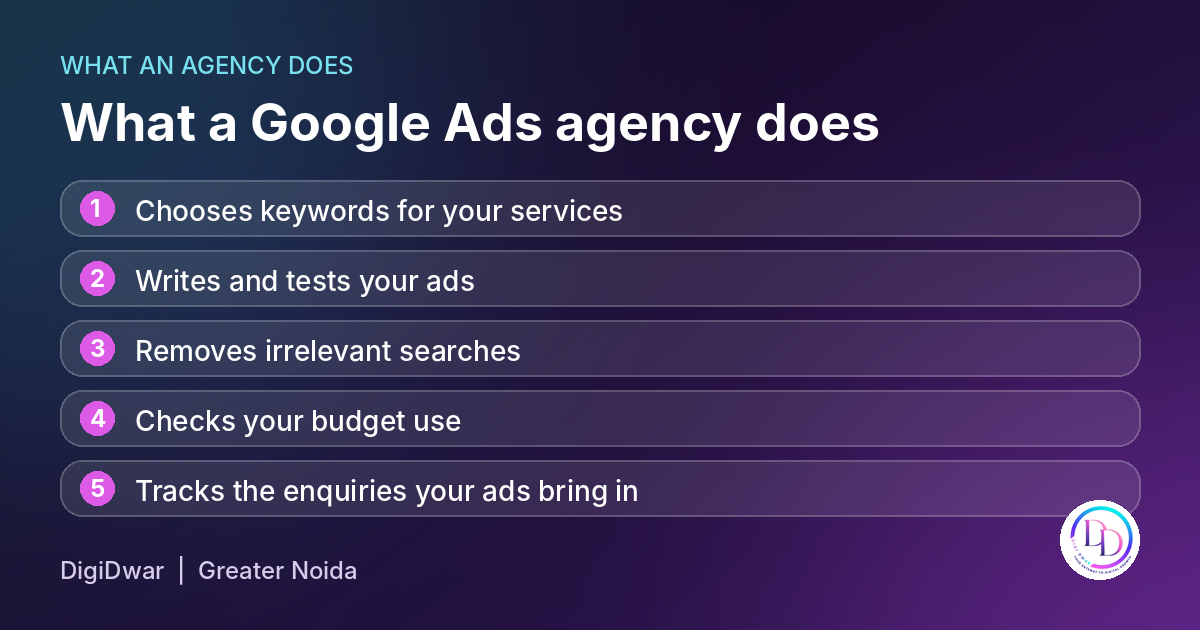
What a Google Ads agency does: keywords, ads, search term cleanup, budget checks and enquiry tracking

Five tasks a Google Ads agency handles for your campaigns.

Google Ads, earlier known as AdWords, is Google’s pay per click campaign platform. Then your ads appear when people search for what you offer, and you pay when someone clicks. a Google Ads agency plans and runs these campaigns inside your Google Ads account. The work usually includes:

  • Choosing keywords
  • Writing ads
  • Removing irrelevant searches
  • Checking your budget
  • Tracking the enquiries your ads bring in

Good management is regular work. Search terms and results need reviewing every week or month, not only at setup. For example, for Noida businesses, this often means targeting searches from sectors and areas where your customers actually are.

Management fee and ad spend are different

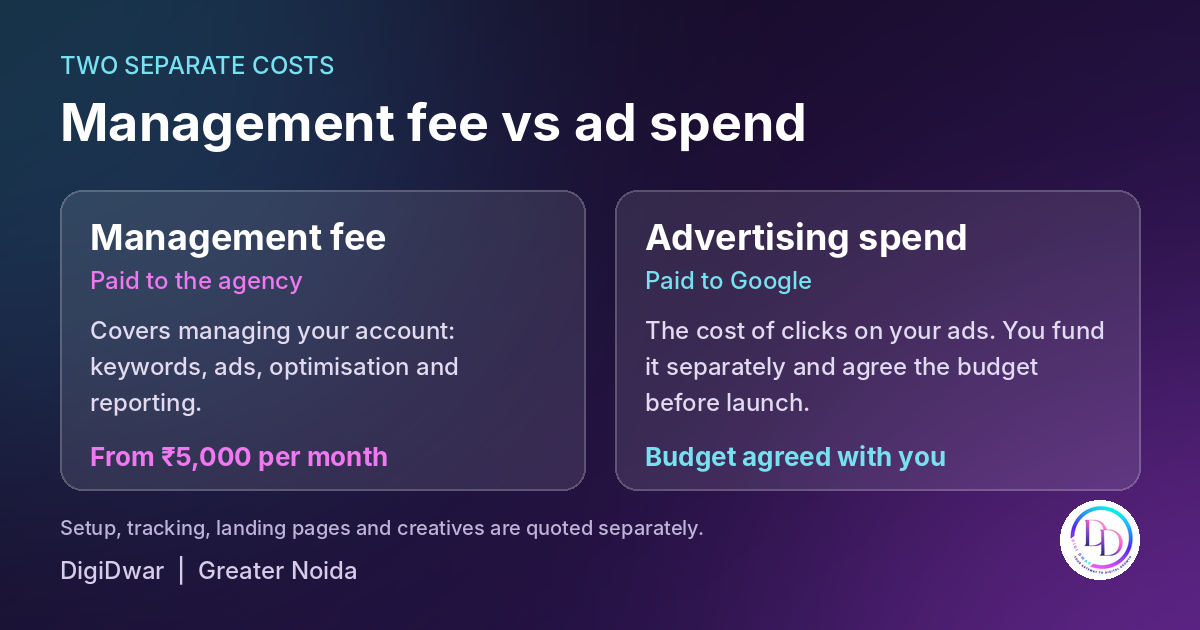
Google Ads management fee paid to the agency versus advertising spend paid to Google

The management fee pays the agency. The ad spend pays Google for clicks.

Google advertising has two separate costs. The management fee is what the agency charges to run your Google Ads manager account and campaigns. Second, the ad spend is the money paid to Google when people click your ads. You fund the ad spend yourself, and we agree the budget with you before launch. We quote new campaign setup, tracking, landing pages and creatives separately. Read our guide to Google Ads management fees vs ad spend for a full breakdown.

A quick note on AdSense: Google AdSense is a different product. It is for website owners who earn money by showing ads on their own sites. Google Ads is for businesses that want to advertise on Google. If you want to learn the basics yourself, Google Skillshop offers free training on Google Ads.

Google Ads and Meta Ads management packages from DigiDwar

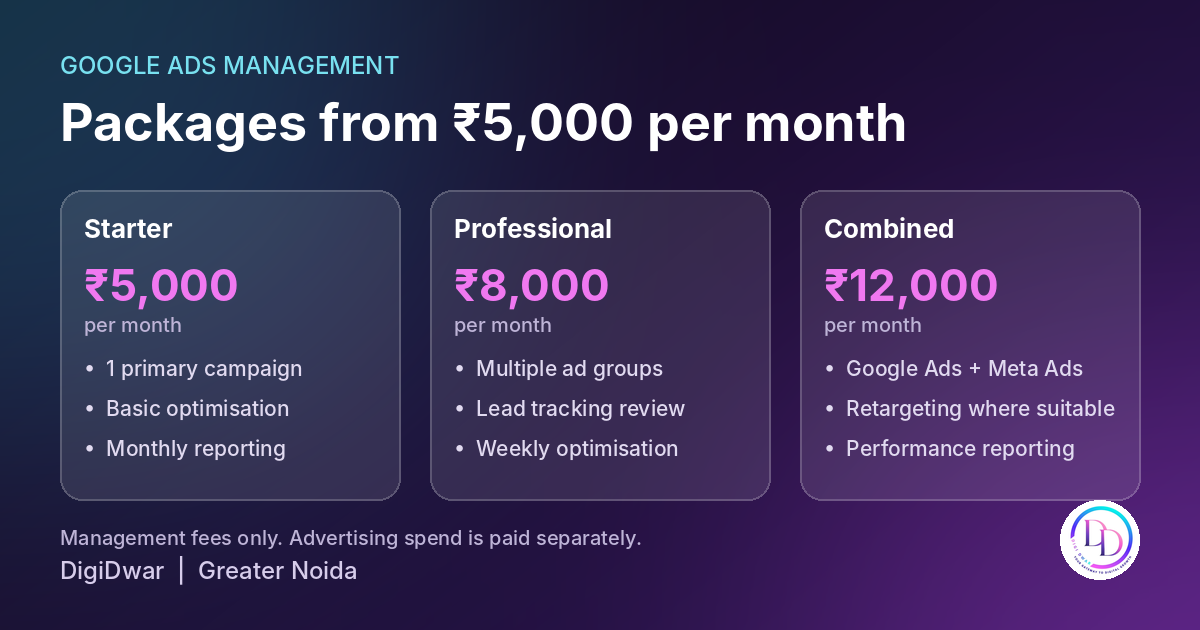
DigiDwar Google Ads management packages from ₹5,000 per month

Starter at ₹5,000, Professional at ₹8,000 and Combined at ₹12,000 per month.

  • Starter, ₹5,000 per month: one primary campaign, basic optimisation and monthly reporting.
  • Professional, ₹8,000 per month: multiple ad groups, review of configured lead tracking, weekly optimisation and reporting.
  • Combined, ₹12,000 per month: Google Ads and Meta Ads management together, including Facebook Meta ads and Instagram, with retargeting where suitable.

Note that these prices cover management only.. Your proposal confirms the scope, any additional charges and applicable taxes.

Where Meta Ads fit in

On one hand, Google Ads shows your ads to people who are actively searching. Meta ads work differently. Your ads appear to people browsing Facebook and Instagram, based on audience and interests. You create and manage Meta adverts in Meta Ads Manager, the platform’s ad manager. Many Noida businesses use both: Google for people ready to search, and Meta for building awareness and retargeting visitors. That is why our Combined package covers both.

How to choose a Google Ads agency in Noida

5 checks when choosing a Google Ads agency in Greater Noida

Five questions to ask before you hire a Google Ads agency.

  1. Ask what the monthly fee covers and what costs extra.
  2. Ask who controls the Google ad account. You should keep access to it.
  3. Ask how enquiries are tracked and how often you receive reports.
  4. Finally, be careful with anyone who promises a fixed number of leads or sales. Results depend on your offer, budget, competition and website.
  5. Lastly, ask for examples of campaigns they manage.

Our Google Ads work

DigiDwar manages Google Ads for DirectAdmissionExpert, with campaigns focused on education and admission enquiries. Also, see the project details to understand our role.

Google Ads agency FAQs

How much does a Google Ads agency in Noida charge?
DigiDwar’s Google Ads management starts from ₹5,000 per month. The Professional package is ₹8,000 per month, and managing Google Ads and Meta Ads together is ₹12,000 per month. These are management fees only. Advertising spend is paid separately.

Is the advertising budget included in the management fee?
No. Instead, the management fee pays for managing your account. The ad spend is the money paid to Google when people click your ads, and you fund it separately.

Is campaign setup included?
No. New campaign setup, tracking, landing pages and creatives are quoted separately.

Can you guarantee leads or sales?
No. Results depend on your offer, budget, competition and website. We use your feedback on enquiry quality to improve the campaigns.

Can you manage my existing Google Ads account?
Yes. First, with access to your Google ads account, we review your current campaigns and agree on a management plan.

Do you work with businesses in Noida if your office is in Greater Noida?
Yes. In fact, we manage campaigns remotely for businesses across Noida, Greater Noida and Delhi NCR, and can meet to discuss your goals.

Next step

Learn more about our Google Ads management services in Delhi NCR, or contact DigiDwar for a free consultation. If you also want Facebook and Instagram ads, see our Meta Ads management. You can also call +91 87896 19750.

SEO Service in Noida: What to Expect and What It Costs

If you are looking for an SEO service in Noida, the first question is what the work includes. The second is how you will know it is working. DigiDwar is based in Gaur City, Greater Noida. We provide SEO services for businesses across Noida, Greater Noida and Delhi NCR.

What an SEO Service in Noida Includes

What an SEO company does: technical checks, keyword research, on-page SEO and monthly reporting

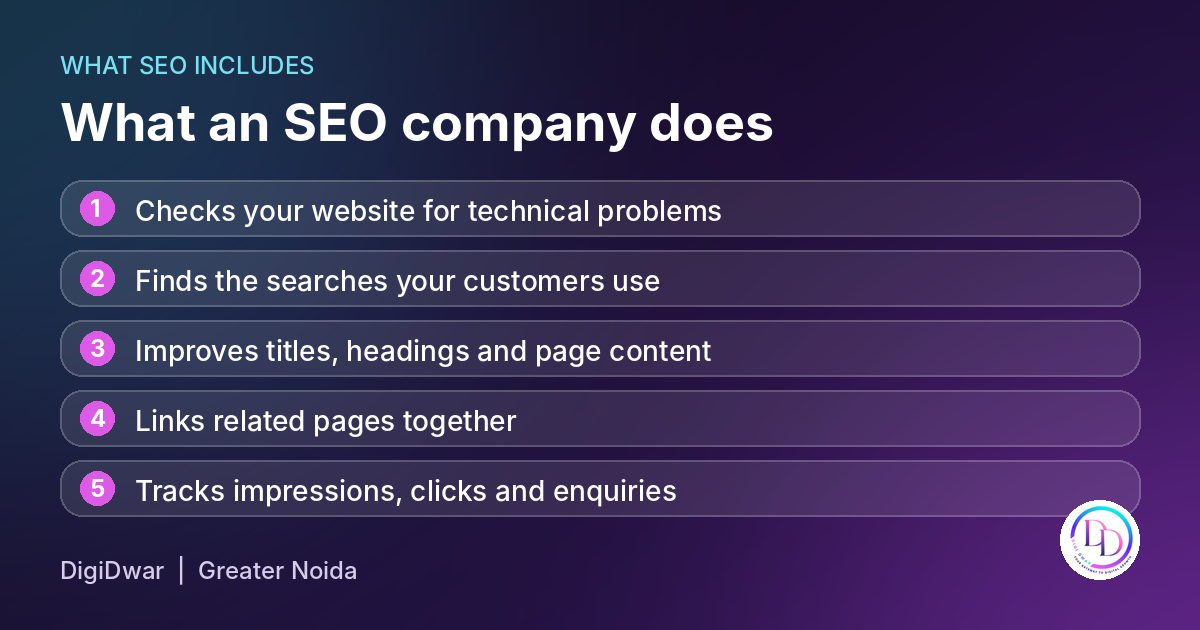
SEO helps people find your business through search. For example, a suitable plan may include the following tasks:

  • A basic SEO audit to check your website for technical problems
  • Research into the keywords for SEO that your customers actually use
  • Better page titles, headings and service-page content
  • Local SEO, such as your Google Business Profile and location pages
  • Internal links between related pages
  • Monthly tracking of impressions, clicks and enquiries

Local SEO is particularly relevant when customers search for nearby services. For instance, someone may include Noida or Greater Noida in their search. However, your business details and service information must accurately reflect where you operate.

SEO Service in Noida: Monthly Packages from DigiDwar

SEO packages from ₹7,000 per month by DigiDwar Greater Noida

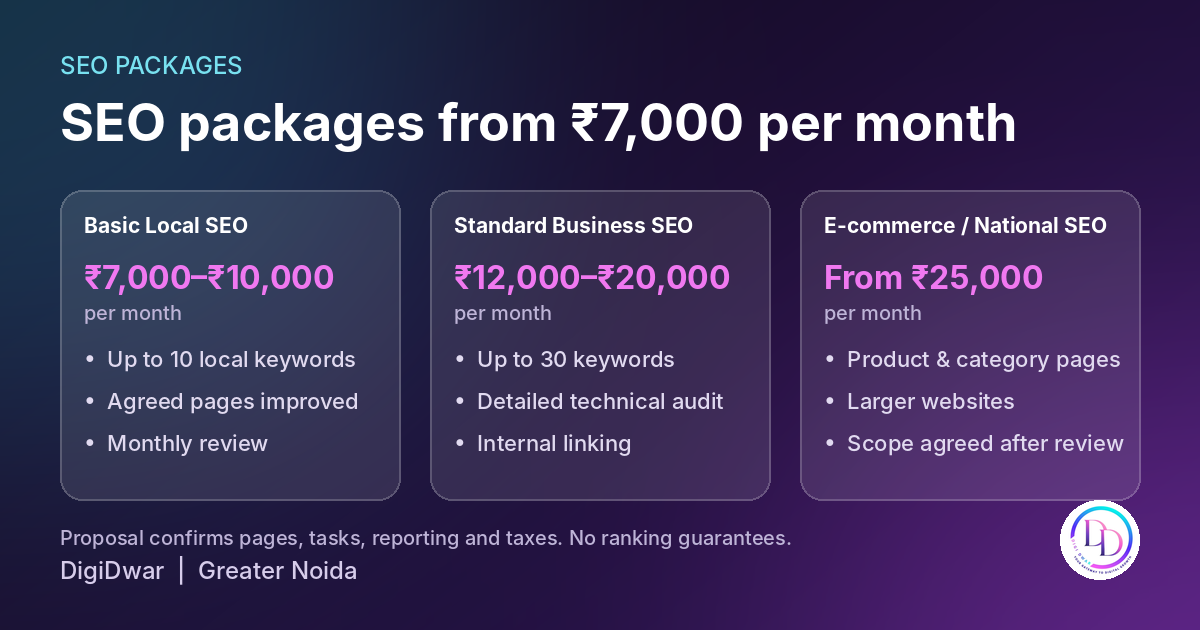
Depending on your website and goals, DigiDwar offers three monthly SEO packages:

Package Fee per month What it covers
Basic Local SEO ₹7,000 to ₹10,000 Up to 10 agreed local keywords and on-page improvements for the agreed pages
Standard Business SEO ₹12,000 to ₹20,000 Up to 30 agreed keywords, a detailed technical audit and internal linking
E-commerce / National SEO From ₹25,000 Product and category-page work for larger websites

Your proposal confirms the pages, tasks, reporting and applicable taxes. In addition, two optional services are quoted separately: content writing at ₹4,000 for up to five pages and Google Business Profile management at ₹1,500 per month.

Not sure what a monthly plan should include? Read our guide to what monthly SEO services include.

How a Month of Website SEO Optimization Usually Works

5 checks when choosing an SEO company in Greater Noida

Every business starts from a different point. However, most plans follow a similar pattern. First, we review the website and its current search performance. Next, we agree on priority pages and search terms. Then, we improve the agreed content and technical elements. Finally, we report the results and explain the next steps.

  1. Review. We check your website, your pages and your current search results.
  2. Plan. We agree on the pages and keywords to work on first.
  3. Improve. We update titles, headings, content and internal links on the agreed pages.
  4. Report. We show impressions, clicks and enquiries, and explain what to do next.

A monthly report should explain both the work completed and the results recorded. For example, it can show which pages received impressions and clicks. However, these figures do not confirm how many enquiries became customers. Therefore, review search performance alongside your enquiry records.

SEO and Digital Marketing: How They Work Together

SEO supports search visibility through ongoing website improvements. Meanwhile, paid campaigns can reach potential customers while that work continues. For this reason, some businesses use both channels.

DigiDwar also manages Google Ads and Meta Ads, so your SEO and advertising can follow the same goals. See all our digital marketing services to compare them.

How to Choose an SEO Company in Noida and Greater Noida
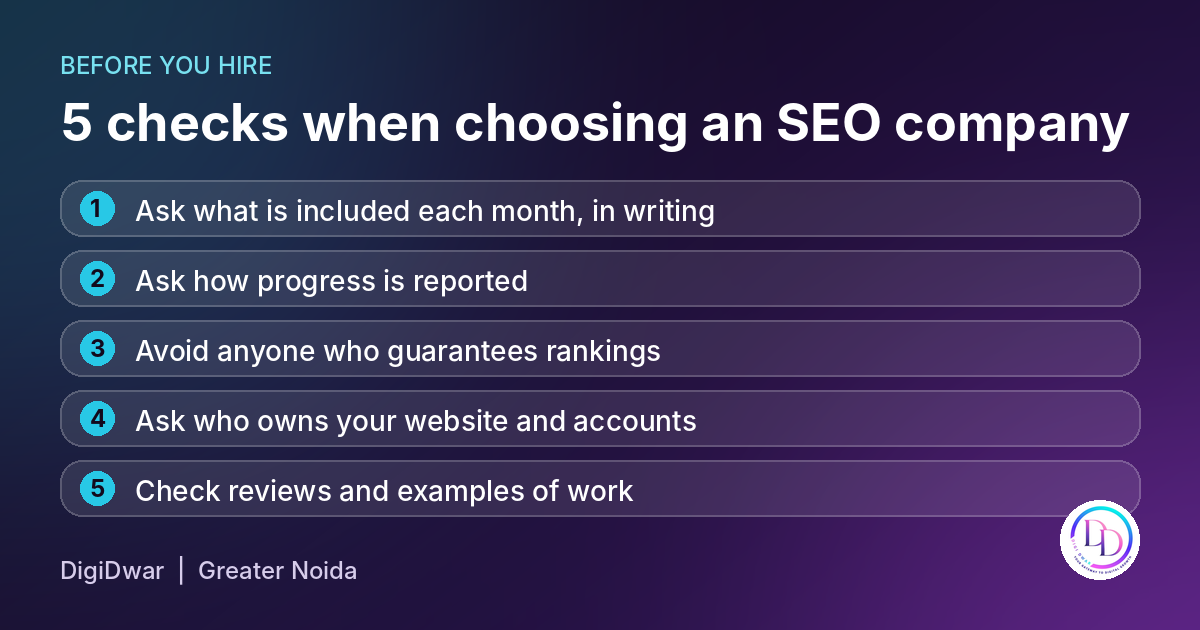
Before choosing a provider, ask these five questions and compare the answers:

  1. What is included each month? Ask for it in writing.
  2. How do you report progress, and which numbers do you track?
  3. Do you guarantee rankings? Be careful if the answer is yes. Search engines decide rankings.
  4. Who owns my website and my Google accounts?
  5. Can I see reviews and examples of your work?
Google’s own SEO starter guide explains the basics of search engine optimization in plain language. In addition, use this guidance to understand the recommendations in each proposal.

SEO Service in Noida: FAQs

How much does an SEO service in Noida cost?

DigiDwar’s monthly SEO packages start at ₹7,000. Larger websites cost more. Your proposal confirms the final fee and taxes.

Can you guarantee a first-page ranking?

No provider can guarantee a position on Google. Instead, we agree on specific tasks, report progress and use the findings to guide further improvements.

How long does SEO take?

Timelines depend on your competition, your website and the agreed work. Therefore, assess progress over time rather than expecting an immediate ranking change.

What is the difference between SEO and local SEO?

SEO supports your website’s visibility in search results. In comparison, local SEO focuses on customers searching within your service area, including relevant Google Business Profile activity.

Next Step

To begin, request a free website and SEO audit. Alternatively, explore our SEO services in Delhi NCR or contact DigiDwar for a free consultation. Call +91 87896 19750 if you prefer to talk.


Website Development Company in Greater Noida: What to Expect

Choosing a website development company starts with understanding what your business needs its website to achieve. You might need to explain your services, display your work, receive enquiries or sell products online.

DigiDwar is based in Gaur City, Greater Noida, and provides website design and development for businesses across Greater Noida, Noida and Delhi NCR. This guide explains what a business website should include and what to check before hiring a developer.

What Should Your Website Design Include?

Checklist of what a business website should include - DigiDwar Greater Noida

Good web design helps visitors find information and understand what to do next. The appearance matters, but so do readable content, clear navigation and working contact options.

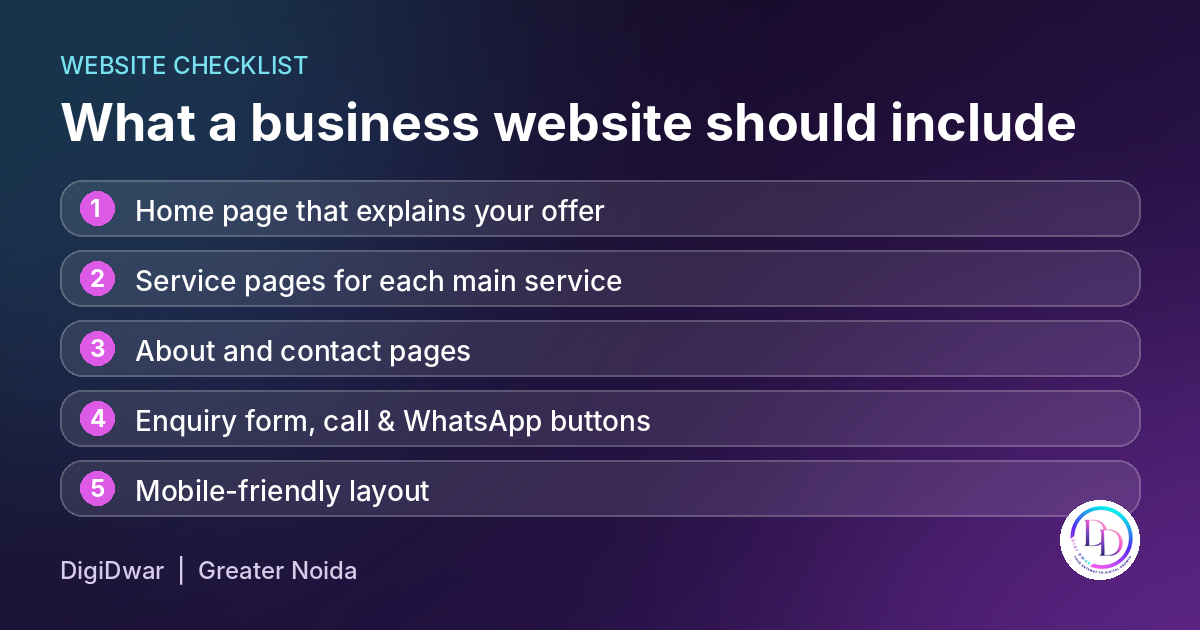
A typical business website should include:

  • Explain your services and audience on the homepage.
  • Create individual pages for your main services.
  • Introduce your business on an about page.
  • Include accurate business details on the contact page.
  • Add enquiry forms and call or WhatsApp buttons.
  • Make the layout work on mobile phones and desktop screens.

Ask the developer to test the forms, buttons and navigation before launch. Website design should support the way customers use your site. Accessibility also matters. The W3C accessibility checks explain basic checks for page titles, image alternatives, headings and keyboard access.

Web Design and Web Development: What Is the Difference?

Web design covers a website’s appearance and layout, including colours, typography and navigation.

Development brings that design to life. This work includes building pages, setting up forms and making the required features function correctly.

You may also encounter UI/UX design. User interface design concerns the elements people interact with, while user experience considers how easily they can complete tasks.

When comparing proposals, ask which of these activities are included. For example, a design mockup and a completed, tested website are different deliverables.

Website Development Packages: What Is Included?

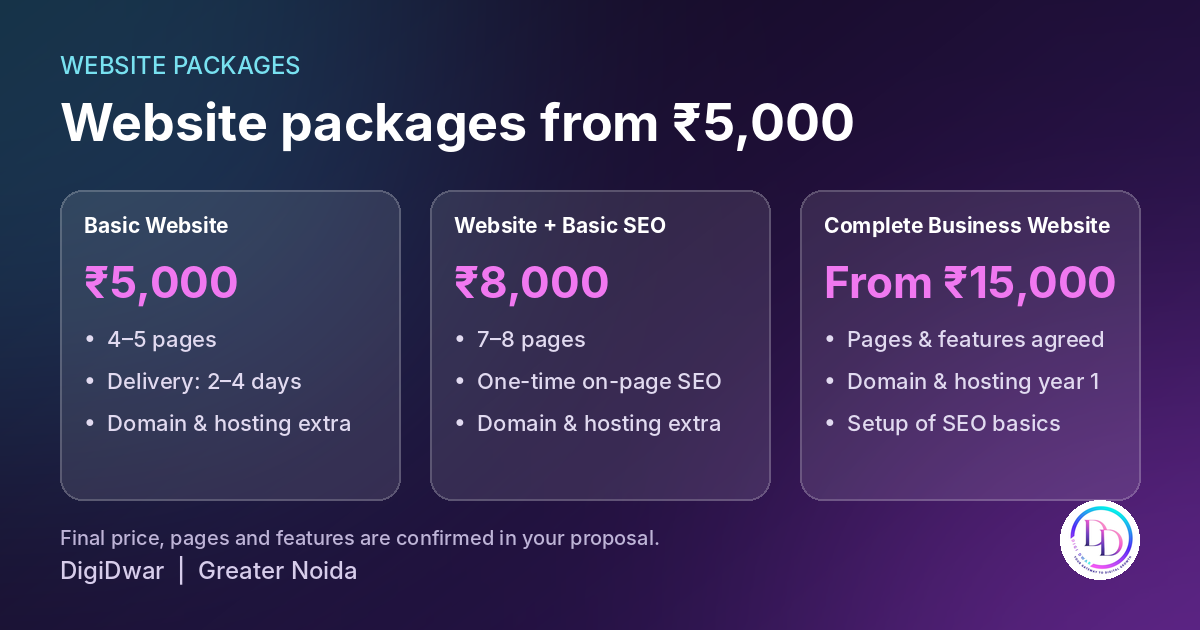
Website packages from ₹5,000 by DigiDwar Greater Noida

Compare the scope of each website development company alongside its price. Page counts alone will not tell you whether a package meets your requirements.

Package Starting price Main inclusions
Basic Website ₹5,000 4–5 pages; estimated delivery of 2–4 days
Website with Basic SEO ₹8,000 7–8 pages and one-time on-page SEO setup
Complete Business Website ₹15,000 Agreed pages and features, with domain and hosting for the first year

Domain and hosting are charged separately in the first two packages. Before work begins, your proposal should confirm the final scope, price, delivery conditions and support.

For a detailed breakdown, read our website development cost guide for Delhi NCR.

Business Websites, Portfolio Websites and Ecommerce Websites

Different website types need different planning.

Business Websites

A service business usually needs pages explaining its services, service areas, experience and enquiry process. Clear information helps potential customers assess whether the company meets their requirements.

Portfolio Websites

Portfolio websites display selected work for designers, photographers, consultants and other professionals.

A useful web portfolio explains the brief, your role and what you delivered. Include genuine examples and obtain permission before sharing confidential client material.

Ecommerce Websites

Ecommerce websites need additional planning for product information, stock, payments, delivery and order management.
Therefore, discuss your online store requirements before choosing a package.Confirm the platform, integrations, recurring charges and support in a separate agreed scope.

How to Choose a Website Development Company

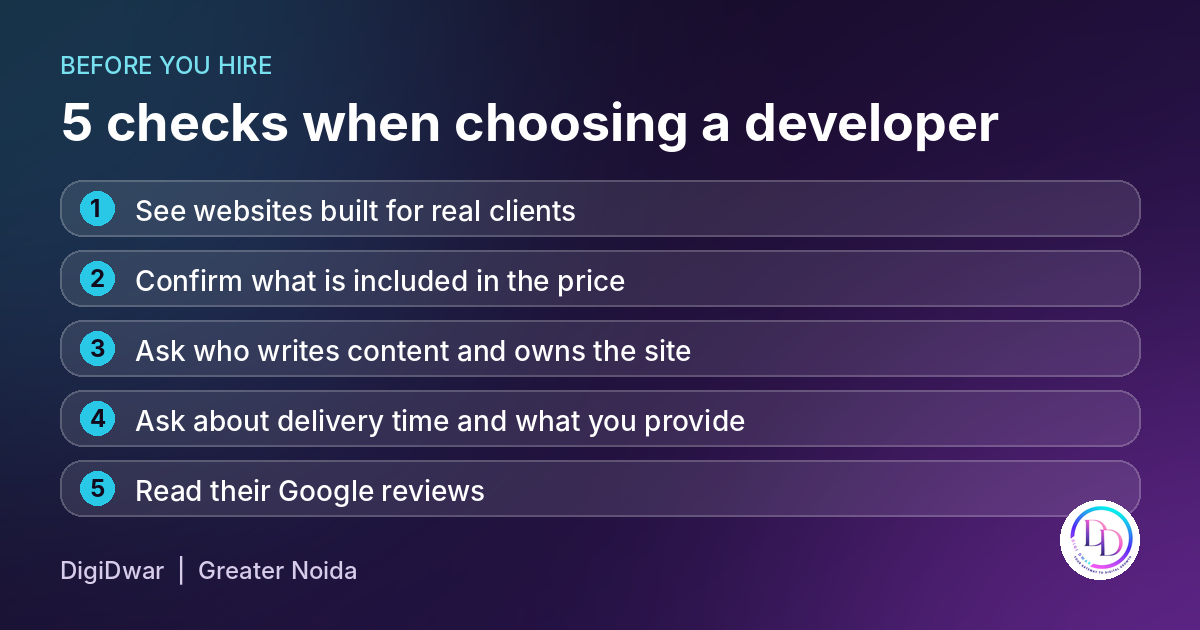
5 checks when choosing a website developer in Greater Noida

If you are comparing options for website development company in Noida, review the work, responsibilities and handover process before deciding.

Review the Website Development Company’s Projects

First, review sample websites on both your phone and desktop. Next, check whether the pages are readable, navigation is clear and contact options are easy to find. Visual effects should also serve a purpose. For example, explore DigiDwar’s client portfolio, including our website development work for Universal Manpower Services.

Confirm the Full Scope

Ask whether the quotation includes:

  • Website design and development.
  • Content writing or content entry.
  • Mobile layout adjustments.
  • Enquiry forms and required integrations.
  • Basic SEO setup.
  • Testing and handover.
  • Post-launch support.

Also, confirm any additional costs before work begins.

Confirm Ownership with Your Website Development Company

Agree on who owns the domain, hosting account and completed website. Before handover, confirm which administration details you will receive. Also, ask your website development company to explain any platform or licensing restrictions that affect ownership or maintenance.

Discuss Timelines and Revisions

First, ask what information is needed to begin, how approvals work and which revisions are included. Delivery depends on the agreed features and the availability of content, access and feedback. Therefore, confirm a realistic schedule before work starts.

Searching for a Website Development Company Near You?

Location can matter if you prefer local discussions or a developer familiar with your service area. However, proximity should be considered alongside relevant work, communication and the written proposal.

DigiDwar is based in Greater Noida and works with businesses across Noida and Delhi NCR. Share your requirements so we can discuss the suitable scope and working arrangements.

What to Prepare Before Hiring a Website Development Company

Before hiring a website development company, prepare:

  • Your business details and target audience.
  • The main purpose of the website.
  • Required pages and functionality.
  • Approved text, logo and photographs.
  • Examples of layouts you find useful.
  • Your budget and preferred timeline.
  • Details of any existing website or domain.

Our website launch checklist can help you organise these materials.

Discuss Your Website with DigiDwar

Whether you need a business website or want to discuss a portfolio or online store, start with a clear brief.

Explore DigiDwar’s website development services or contact us for a free initial consultation.
Call +91 87896 19750 to discuss your project.

Google Ads Management Fees vs Ad Spend: A Small Business Budget Guide

When a business receives a quote that includes a Google Ads management fee, one question often comes first: “Does this amount include the money spent on advertising?”

That distinction matters. A management fee pays for the agency’s work. Advertising spend funds the campaigns running through Google. Your total budget may also need to cover setup, tracking or a landing page.

This guide explains those costs so you can compare proposals and understand what you are agreeing to.

What Is a Google Ads Management Fee?

A management fee covers the work an agency performs to manage your campaigns. The responsibilities depend on your agreed package.

That work may include reviewing keywords, checking search terms, adjusting negative keywords, reviewing advertising locations, assessing ads and monitoring campaign budgets.

Reporting should explain what happened and what work is planned next. Before hiring an agency, ask which activities are included, how frequently campaigns are reviewed and whether initial setup costs extra.

A monthly fee should come with a clear scope.

What Is Advertising Spend?

Advertising spend is the money used to run your ads through Google. It is separate from the agency’s management charge unless your proposal explicitly states otherwise.

Google allows advertisers to set average daily campaign budgets. Spending can vary between days, so an average daily budget should not be understood as an identical charge every day. Google explains how this works in its average daily budget guidance.

The amount your business should allocate depends on the services advertised, target locations, competition and the information available from campaign planning.

There is no single advertising budget that suits every small business.

A Simple Example: Google Ads Management Fee Plus Ad Spend

Suppose a business agrees to the following:

Budget item Illustrative amount
Monthly campaign management ₹5,000
Separate advertising allocation ₹15,000
Planned combined amount ₹20,000

This example excludes applicable taxes and any separately quoted setup, tracking, creative or website work.

The ₹15,000 advertising allocation is an illustration, not a recommended budget for every business. The example also does not predict clicks, enquiries or sales.

If your total available budget is ₹20,000, tell your agency that figure includes all costs. Otherwise, you could agree to a management fee before discovering that the advertising allocation exceeds what you can afford.

DigiDwar’s Google Ads Management Fee Packages

DigiDwar’s current Google Ads management packages separate ongoing management from advertising spend.

Starter: ₹5,000 per Month

The Starter package covers Google Ads management on one platform, one primary campaign, basic campaign optimisation and monthly reporting.

It suits a focused campaign requirement with a clearly agreed scope.

Professional: ₹8,000 per Month

The Professional package includes Google Ads management, multiple ad groups within the agreed scope, monitoring of configured lead tracking, and weekly optimisation and reporting.

Tracking monitoring refers to checking an existing configuration. New tracking implementation is separately quoted.

Combined: ₹12,000 per Month

The Combined package covers Google Ads and Meta Ads management, lead campaigns within the agreed scope, performance reporting and retargeting where suitable and available.

This package includes management across paid search and Facebook or Instagram advertising. Advertising spend remains separate.

Your proposal confirms the final responsibilities, additional charges and applicable taxes.

Which Costs Sit Outside the Google Ads Management Fee?

Before approving a campaign, ask whether the following work is required and included.

Initial campaign setup: A new account or campaign may need research, campaign structure, ad preparation and configuration.

Conversion tracking: Tracking may need to be implemented or corrected before campaign reports can distinguish useful actions from ordinary visits.

Landing page development: Your existing website may need a clearer service page, enquiry form or campaign landing page. Review the proposed work before approving a separate website development quotation.

Creative production: Images, videos and other advertising materials may require additional production work, depending on the campaign format.

These items are not automatically included in DigiDwar’s ongoing management packages. Confirm them in writing before starting.

Measure Enquiry Quality Alongside Campaign Activity

Clicks show that people interacted with an ad. They do not confirm that those people became suitable customers.

A useful review connects advertising data with business feedback. Were the enquiries relevant? Did people need your advertised service? Were they within your service area? Did your team respond?

For example, a service business receiving job applications instead of customer enquiries needs to investigate targeting, search terms and messaging.

Keep contact-button clicks separate from confirmed conversations and successful form submissions. That makes reports easier to interpret.

Questions to Ask About the Google Ads Management Fee

Ask your agency:

  • What is the management fee, and what does it include?
  • How much advertising spend are we planning separately?
  • Are setup, tracking and landing page work additional?
  • Which services and locations will the campaign target?
  • What will count as a conversion?
  • How will we review enquiry quality?
  • What access will I have to the advertising account?
  • How will additional work be approved?

Clear answers help you compare proposals on scope and responsibilities.

Plan Your Advertising Budget With DigiDwar

Start with your total available budget, the service you want to promote and the locations you can serve. Include your team’s capacity to answer calls and follow up on enquiries.

DigiDwar provides Google Ads management for businesses across Delhi NCR. We discuss the campaign scope, management fee, separate advertising allocation and any additional setup requirements before starting. Ask us about the Google Ads management fee for your campaign.

Request a free initial consultation to discuss your campaign requirements.

What Does a Monthly SEO Service Include? A Guide for Small Businesses

Before paying for monthly SEO, you should understand what work your business will receive. A proposal that simply promises “better rankings” leaves too many questions unanswered. This guide explains what SEO services in Delhi NCR should include each month.

Which pages will the agency improve? Will someone fix technical problems? Is new content included? How will you know whether the work is helping?

A useful monthly SEO plan connects specific website improvements with the searches and customers that matter to your business. The exact tasks depend on your starting point, competition, budget and the work already completed.

This guide explains what to look for before agreeing to a monthly service.

SEO Services, Start with a Website Review

The first stage should establish what needs attention.

An agency may review your website’s service pages, navigation, search accessibility and available performance data. It should also ask about your customers, service areas and business priorities.

For example, a business website might be indexed but receive very few impressions for its services. Another might attract visitors to informative articles while its enquiry pages remain difficult to find.

Those situations need different plans. An audit should help decide what to do first, rather than produce a long list of issues with no explanation of their importance.

Google identifies website structure reviews, technical advice, keyword research and content development among the services an SEO professional may provide. developers.google.com

Keyword Research for SEO Services in Delhi NCR

Keyword research should consider what a potential customer needs when searching.

Someone searching for “what is SEO” may want an explanation. Someone searching for “SEO services in Delhi NCR” may be comparing providers. Both searches can be relevant, but they serve different purposes.

A monthly plan should identify:

  • The services or products you want to promote.
  • Searches relevant to those offerings.
  • Existing pages that can answer those searches.
  • Customer questions your website does not yet address.

Ask your agency which pages it plans to improve and why. A keyword list becomes more useful when each topic has a clear destination on your website.

Improve existing page content SEO

Monthly SEO often includes work on existing pages.

That might involve clarifying a service description, correcting an unclear heading, improving a page title or adding answers to questions customers regularly ask.

Consider a website development page that says only, “We build professional websites.” Visitors still need to know what is included, whether they can update the website, how content is prepared and what costs extra.

Adding those details makes the page more useful to someone considering the service.

The scope should explain how many pages are covered and whether the agency will edit existing text, write new copy or provide recommendations for your team to implement.

Address technical problems within the agreed scope

Technical work can include reviewing broken links, redirects, indexing settings, canonical URLs, sitemap availability and problems affecting mobile use.

Finding an issue and fixing it are separate responsibilities.

For example, an SEO review might identify a template problem that requires development work. Your agreement should explain whether the agency can make that correction or whether your developer must implement it.

If you need substantial changes to your website, discuss them alongside your website development requirements before committing to an SEO plan.

Plan content around real customer questions

New articles can support your service pages when they address questions customers need answered.

A website agency might publish guidance about page planning or development costs. An accounting business might explain what documents a new client should prepare.

Each article should have a purpose and add information beyond what is already on the website.

Check whether your monthly fee includes topic planning, writing, editing, images and publishing. These are different tasks, and an agency may quote some separately.

Publishing more articles should not replace improving incomplete service pages or resolving problems that prevent visitors from making enquiries.

Connect relevant pages

Internal linking means adding useful links between pages on your own website.

For example, an article explaining monthly SEO can direct readers to your SEO packages. A Google Ads page can link to landing-page development when visitors need help preparing a campaign destination.

Links should appear where they help the reader take a relevant next step.

Ask whether internal-link improvements are included when pages are edited or new content is published.

Define local SEO and Business Profile work

Businesses serving specific areas may also need work on their local information and Google Business Profile.

However, profile monitoring and ongoing profile management are different services.

Monitoring might involve reviewing available performance data. Management might include updating business information, preparing posts or responding to reviews according to agreed responsibilities.

Your proposal should specify which activities are included. It should also explain what information and approvals your business must provide.

Understand the approach to backlinks

Ask how the agency plans to find relevant opportunities for other websites to reference your business.

Possible work may include checking legitimate business listings, identifying inaccurate company details or approaching relevant publishers with useful material.

Ask for examples of the websites involved and the reason each opportunity suits your business. Avoid judging the service only by a promised link count.

Google advises businesses to question secretive SEO practices and be cautious about link schemes and bulk submission claims. developers.google.com

Receive reports that explain the work of SEO Services

A monthly report should tell you what changed, what the available data shows and what happens next.

Useful reporting can cover:

  • Pages updated and technical corrections completed.
  • Search impressions and clicks for relevant pages.
  • Changes in the searches bringing visitors to the website.
  • Enquiry events where tracking is configured.
  • Outstanding tasks, approvals and next priorities.

Keep the meaning of each measurement clear. Clicking a phone button does not confirm a completed call. A submitted enquiry does not automatically become a suitable customer.

Your feedback on enquiry quality helps make the report more useful.

What do DigiDwar’s SEO Services packages include?

DigiDwar offers different scopes for local businesses, broader business websites and larger search requirements.

Package Monthly service fee General scope
Basic Local SEO ₹7,000–₹10,000 Up to 10 agreed target keywords, relevant page improvements and local performance tracking
Standard Business SEO ₹12,000–₹20,000 Up to 30 agreed target keywords, technical review, on-page work and internal linking
E-commerce / National SEO From ₹25,000 Scope based on catalogue size, technical requirements and target market

These are service fees. The proposal confirms deliverables, responsibilities, reporting and applicable taxes.

New website copy, articles, substantial development and other additional requirements should be discussed before starting. See the full SEO services and packages for current inclusions.

Questions to ask before hiring an SEO agency

Before approving a proposal, ask:

  1. Which pages and tasks will you prioritise?
  2. Who will implement technical changes?
  3. Is new content included?
  4. What access and approvals do you need?
  5. What will the monthly report explain?
  6. Which work costs extra?
  7. How will we review progress?

Be cautious about guaranteed ranking positions. Google states that no one can guarantee a number-one ranking. developers.google.com

Discuss the work your website needs

If you are considering monthly SEO, start by sharing your website, main services, target areas and business priorities.

DigiDwar offers a free initial consultation to discuss those requirements and recommend an appropriate scope. Ask us what SEO services in Delhi NCR would include for your business.

Discuss your SEO requirements or call +91 87896 19750.